1
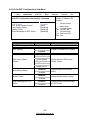
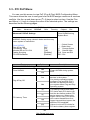
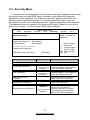
3.5 - Security Menu
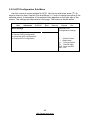
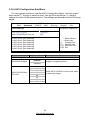
The system can be configured so that all users must enter a password every time
the system boots or when BIOS Setup is entered, using either the Supervisor
password or User password. The Supervisor and User passwords activate two
different levels of password security. If you select password support, you are
prompted for a one to six character password. Type the password on the keyboard.
The password does not appear on the screen when typed. Make sure you write it
down. If you forget it, you must clear CMOS and reconfigure.
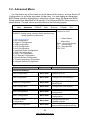
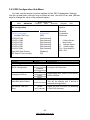
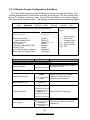
Main
Advanced
BIOS Setup Utility
PCI/PnP
Boot
Security
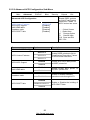
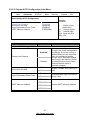
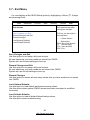
Supervisor Password : Not Installed
User Password
: Not Installed
← → Select Screen
↑↓ Select Item
+/- Change Option
F1 General Help
F10 Save and Exit
ESC Exit
Change Supervisor Password
Change User Password
Feature
Exit
Install or change the
password.
Security Settings
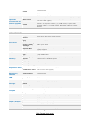
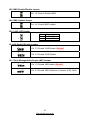
Boot Sector Virus Protection
Chipset
[Disabled]
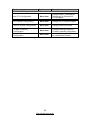
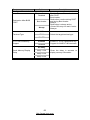
Option
Description
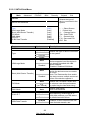
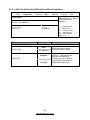
Security Settings
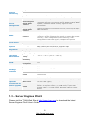
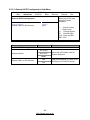
Supervisor Password:
User Password:
Not Installed
Installed
Not Installed
Installed
Change Supervisor
Password
__
Change User Password
__
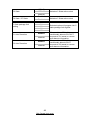
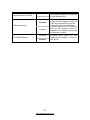
Disabled
Boot Sector Virus Protection
Enabled
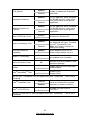
If the password has been set,
Installed displays. If no password
is set, Not Installed displays.
If the password has been set,
Installed displays. If no password
is set, Not Installed displays.
Selects this option to change or
install Supervisor Password.
Selects this option to change or
install User Password.
When it is set to [Enabled], BIOS
will issue a virus warning
message and beep if a write to
the boot sector or the partition
table of the HDD is attempted.
73
http://www.tyan.com