1
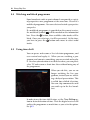
5.5 Using time-shift
51
The time-shift will be reset each time you change to another
service. With the time-shift, the following operations are possible:
• To go back in time, hold down the
button; to go forward, hold down the
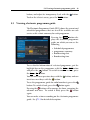
button. The progress bar is displayed momentarily with a preview window.
• You can navigate using the progress bar, refer to §7.3.1.
• You can jump backward and forward by pressing the
and
buttons. You can change the jump time at the
Jump Time Interval option. See §4.6.
• You can change playback speed. See §7.3.2 for slow motion. For fast motion, see §7.3.3.
• To check your current position in time-shift, press the
button. The time difference compared to live programme is displayed momentarily in top right corner of
the screen. A value of −02:00 means two minutes behind the live programme.
• To end time-shift, press the
gramme will be displayed.
button. The live pro-
NOTE
You can adjust some options for time-shift. Refer to §4.5.