1
Adjusting the Projected Image (“SCR-ADJ” Menu)
(Continued)
Menu operation n Page 40
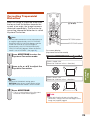
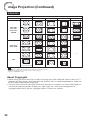
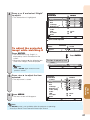
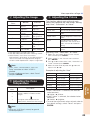
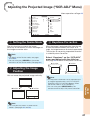
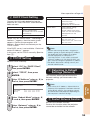
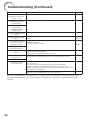
4 Setting the Overscan
This function allows you to set the overscan area
(display area).
Selectable
items
The input area is displayed without the
screen edges.
Off
The whole input area is displayed.
Note
• This function is available for the following
signals.
With COMPUTER/COMPONENT 1 or 2 input:
- 480P
- 540P
- 576P
- 720P
- 1035I
- 1080I/1080P
• If noise appears at the screen edges when
“Off” is selected, set the function to “On”.
• Also see “About Copyrights” on page 32.
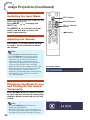
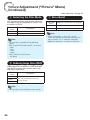
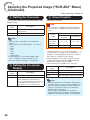
5 Setting the On-screen
Display
48
<For Americas only>
Info
Description
On
Selectable
items
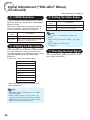
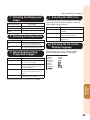
6 Closed Caption
• This function is available for NTSC3.58 signal.
• This function is available in the following cases
only:
Resize
mode
PG-D2870W
Normal
Area Zoom
V-Stretch
-40 − +40
-XX − +XX
16:9
-12 − +12
-XX − +XX
• “Closed Caption” is a system which allows
conversations, narration, and sound effects in TV
programs (Limited regions) and home videos to
be viewed as captions on the screen.
• Not all programs and videos will offer closed
captioning. Please look for the
symbol to
ensure that captions will be shown.
• Two channels are available: CC1 and CC2.
Selectable
items
Off
Description
On
All on-screen displays are displayed.
Off
VOLUME/AV MUTE/FREEZE/AUTO
SYNC/RESIZE/PICTURE MODE/
ECO+QUIET/MAGNIFY/Input Search/
Audio Mute/“An invalid button has
been pressed.” are not displayed.
Keystone Correction
PG-D3550W/
D3050W
Description
—
CC1
Closed Caption mode for CH1 data
CC2
Closed Caption mode for CH2 data
Note
• Closed Caption may malfunction (white blocks,
strange characters, etc.) if signal conditions are
poor or if there are problems at the broadcast
source. This does not necessarily indicate a
problem with the projector.
• If any button is pressed to call up the onscreen display while viewing a Closed Caption
broadcast, the closed captions will disappear.