1
Taking pictures according to the scene
Useful features for travel [World Time]
[Scene Mode] (Continued)
Recording Mode:
Recording Mode:
Scene
Uses, Tips
Notes
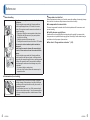
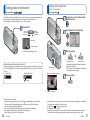
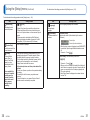
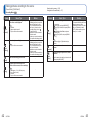
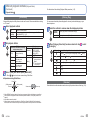
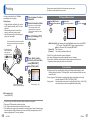
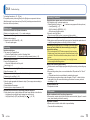
Takes clear pictures of fireworks in the night
sky.
• The shutter speed becomes 1/4
second, or 2 seconds (if there
is a little jitter or if Optical Image
Stabilizer is off). (Shutter speed
can be changed by correcting
exposure.)
Tips
[Fireworks] • Stand at least 10 m (32.8 feet) away.
• Tripod recommended.
[Beach]
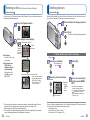
Brings out the clear blues of the sky and the
sea without darkening subject.
Brings out the natural colour of snow in ski
slope and mountain scenes.
[Snow]
• Do not touch camera with wet
hands.
• Beware of sand and sea water.
∗
∗ Recording only. (Cannot set.)
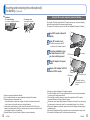
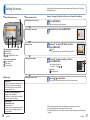
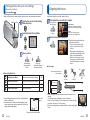
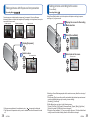
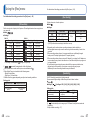
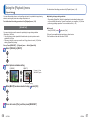
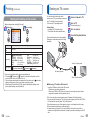
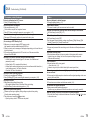
You can adjust the time to match the local time at your destination.
Set-up: • Clock must be set in advance (→16).
• Press [MENU/SET] → [Setup] menu → Select [World Time]
[Please set the home area] will be displayed when setting for the first time. In this case,
press [MENU/SET] and skip to step .
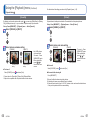
■ Set home area
Select [Home]
■ Set destination area
Select [Destination]
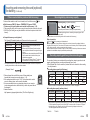
–
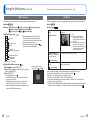
Set your home area
Set destination area
Current time
Current time at
selected destination
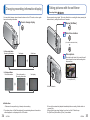
• To cancel
→
Press
[ / ].
• To cancel
→
Press
[ / ].
Difference with GMT
(Greenwich Mean Time)
City/area name
Difference with home time
City/area name
If actual destination is unavailable, select
based on “difference with home time”.
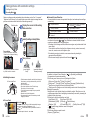
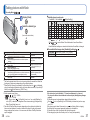
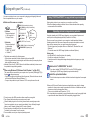
■ Upon your return
Go through steps
and
on the upper left, and return to the original time.
■ To set/release summer time
Press ▲ in step
. (Press again to release)
●When summer time is set, the current time is advanced by 1 hour. If the setting is
cancelled, the time automatically returns to the current time.
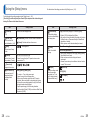
●Still pictures and motion pictures recorded after you have specified the destination are
labeled
44
VQT3E49
(destination) during playback.
VQT3E49
45