1
Using Your Rack-Mount Console
Table of Contents
sections
1
2
3
4
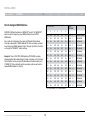
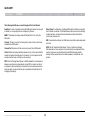
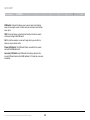
Keyboard Hot-Key-Command Shortcuts
Command
Space Bar
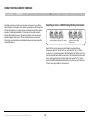
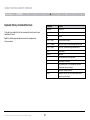
To the right is a complete list of hot-key commands that can be used for your
Rack-Mount Console:
6
7
8
Function
Activate OSD
Previous host
Next host
Note:You will have approximately three seconds to complete each
hot-key sequence.
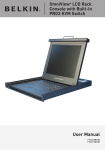
19” Widescreen Rack-Mount Console with Built-In PRO3 KVM Switch
5
27
[01,02.,,,16] port
Non-daisy-chain KVM switch
[00,01.,,,15] BANK
Daisy-Chain Config: First and second digit specifies BANK
[01,02.,,,16] port
Daisy-Chain: Third and fourth digit specifies number
PgUP
Previous BANK
PgDown
Next BANK
B
Turn on/off beep while in AutoScan mode
S
Enable/disable OSD security
P
Turns console screen “Off”, and prompts for user name
and password if security is enabled
A
Administrator activates AutoScan
Delete
Administrator sets the OSD back to factory-default values
(except for security settings)