1
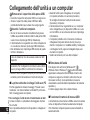
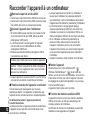
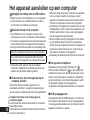
Connecting the unit to a computer
You can import the recording files that were recorded
with the unit to a computer.
● Do not use any other USB extension cables except
the supplied one.
Do not use the supplied cable with other devices.
• Start the computer beforehand.
• Turn the unit off beforehand.
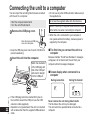
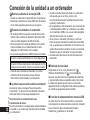
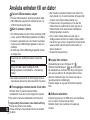
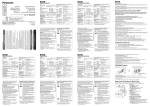
1 Remove the USB plug cover.
Store the removed USB plug
cover in a safe place.
● Keep the USB plug cover out of reach of children to
prevent swallowing.
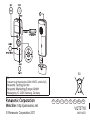
2 Insert the unit into the computer.
Match the orientation
of the USB plug with
that of the USB port
and insert it straight
into the USB port.
Caution: Use only the supplied USB extension cable
with a ferrite core when connecting to computer.
● When the unit is connected to your computer, it
can operate without the battery, because power is
supplied by the computer.
■ The first time you connect the unit to a
computer
Because multiple “Found New Hardware” messages
will appear, do not disconnect the unit from your
computer until all messages disappear.
■ Screen display when connected to a
computer
During connection
During file transfer
Computer
VQT3T18
This unit
22
22
● If the USB plug cannot be inserted firmly due to
the condition around the USB port, use the USB
extension cable (supplied).
● Operation is not guaranteed if the unit is connected
with a cable other than the supplied USB extension
cable.
Never remove the unit during data transfer.
The file data or the unit may be damaged.
The unit cannot be operated while connected to a
computer.