1
2. Setting up the monitor
Resolution notification
2.3 Remove Base Stand
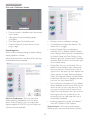
This monitor is designed for optimal
performance at its native resolution, 1920 ×
1080 @ 60 Hz. When the monitor is powered
on at a different resolution, an alert is displayed
on screen: Use 1920 × 1080 @ 60 Hz for best
results.
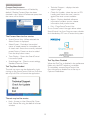
Remove the Base Stand
Before you start disassembling the monitor
base, please follow the instructions below to
avoid any possible damage or injury.
1. Place the monitor face down on a smooth
surface, taking care to avoid scratching or
damaging the screen.
Display of the native resolution alert can be
switched off from Setup in the OSD (On
Screen Display) menu.
Physical Function
Tilt
2. Detach the base stand away from the base
column by:
(1) Use your fingers to loosen the screw
located at the bottom of the base.
(2) Gently move up-and-down to release
the latch that locks the base and pull
the base away from the base column.
1
2
8