1
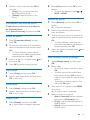
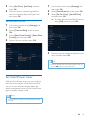
• [Move]: Move all photos from the card
to another album
• [Delete]: Delete all photos from the
card
Album
1
2
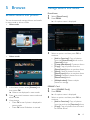
Select an album under [PhotoFrame].
Press MENU.
»» An option menu is displayed.
3
3
Select an option, and then press OK to
continue.
• [Add to Favorites]: Copy all photos
from the album to the [Favorites]
album
• [Create New Album]: Create an album
• [Copy]: Copy all photos from the
album to another album
• [Move]: Move all photos from the
album to another album
• [Delete]: Delete all photos from the
album
• [Rename]: Rename the album
• [Multiple-select]: Select multiple
photos to manage
Thumbnail
1
2
14
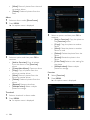
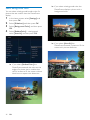
Select a thumbnail in album mode.
Press MENU.
»» An option menu is displayed.
EN
Select an option, and then press OK to
continue.
• [Add to Favorites]: Copy the photo to
the [Favorites] album
• [Copy]: Copy the photo to another
album
• [Move]: Move the photo to another
album or card
• [Delete]: Delete the photo from the
album
• [Rotate]: Rotate the photo in the
album
• [Color Tone]: Select a color setting for
the photo
• [Multiple-select]: Select multiple
photos to manage
Favorites
1
2
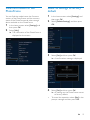
Select [Favorites].
Press MENU.
»» An option menu is displayed.