1
550C/650C
Custom installation (C.I.) use
Technical specifications
The 550C and 650C feature a Control Bus input/output that allow unmodulated remote control commands (positive logic, TTL level) to be
received electrically by the unit and looped to another unit if desired.
These control commands are typically generated by custom installation
(multi-room) systems or remote IR receiver systems. The Control Bus
sockets are colour-coded orange.
550C
An IR Emitter Input is also provided that allows modulated IR remote
control commands to be received electrically by the unit. Commands on
this input operate the unit only and are not looped out demodulated on
the Control Bus Output.
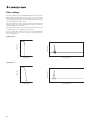
Frequency response (+/-0.2dB) 20Hz - 20kHz
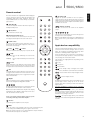
In addition the units feature 'direct' IR/Control codes as well as toggle
codes for some of their features to simplify programming custom
installation systems. Special direct On/Off and Mute commands can be
accessed on the supplied remote control for teaching into C.I. systems or
learning remotes as follows:
D/A Converter
Wolfson Microelectronics WM8740
24-Bit/192kHz capable
Filter
2-Pole Differential Bessel Virtual
Earth Balanced
THD @ 1Khz 0dBFs
<0.0015%
THD @ 1Khz -10dBFs
<0.003%
THD @ 20Khz 0dBFs
<0.001%
IMD (19/20kHz) 0dBFs
<0.001%
Linearity @ -90dBFs
+/- 0.5dB
1. Press and hold the Standby button. After 12 seconds, the remote
first generates a Standby (toggle) command for Azur CD players. Keep
holding the button down and after 12 seconds a CD player “On”
command will be generated. If the button is held down for a further
12 seconds, a CD player “Off” command is generated. After another
12 seconds, the remote generates a Standby (toggle) command for
Azur Amplifiers. A further 12 seconds and an Amp “On” command is
generated. Finally, if the button is held down for a further 12 seconds,
an Amp “Off” command is generated.
2. Press and hold the Mute button. The remote first generates a Mute
(toggle) command for Azur Amplifiers. Keep holding the button down
and after 12 seconds an Amp “Mute On” command will be generated.
If the button is held down for a further 12 seconds, an Amp “Mute
Off” command is generated.
Clock deviation
+/- 20ppm
Stopband rejection (>24kHz)
>90dB
S/N ratio, A weighted
>100dB
Total correlated jitter
<150pS
Crosstalk @1kHz
<-100dB
Crosstalk @20kHz
<-90dB
Output impedance
<50ohms
Maximum power consumption
25W
Standby power consumption
<1W
A full code table for this product is available on the Cambridge Audio
website at www.cambridge-audio.com.
Dimensions
85 x 430 x 305mm
(3.4 x 16.9 x 12.2”)
Weight
4.8kg (10.6lbs)
ENGLISH
azur
Troubleshooting
650C
There is no power
Ensure the AC power cord is connected securely.
Ensure the plug is fully inserted into the wall socket and is switched on.
Check the unit is switched on at the rear panel.
Check fuse in the mains plug or adaptor.
D/A Converter
Dual Wolfson Microelectronics
WM8740 24-Bit/192kHz capable
Filter
2-Pole Dual Differential Bessel
Double Virtual Earth Balanced
Frequency response (+/-0.1dB) 20Hz - 20kHz
THD @ 1Khz 0dBFs
<0.001%
THD @ 1Khz -10dBFs
<0.0005%
THD @ 20Khz 0dBFs
<0.002%
IMD (19/20kHz) 0dBFs
<0.0005%
Linearity @ -90dBFs
+/- 0.5dB
Clock deviation
+/- 20ppm
Stopband rejection (>24kHz)
>90dB
S/N ratio, A weighted
>104dB
Total correlated jitter
<140pS
Crosstalk @1kHz
<-100dB
Crosstalk @20kHz
<-99dB
Output impedance
<50ohms
The remote handset will not function
Maximum power consumption
25W
Check that the batteries have not expired.
Ensure that nothing is blocking the remote sensor.
Standby power consumption
<1W
Dimensions
In the event that the above solutions do not remedy your problem, please
consult our frequently asked questions (FAQ) section on our website:
www.cambridge-audio.com/sts/faqs
You can also use this facility to post a question to our Technical Support
team.
85 x 430 x 305mm
(3.4 x 16.9 x 12.2”)
Weight
4.8kg (10.6lbs)
The player will not read the disc
Check the disc is not loaded upside down.
Check that the disc is not too scratched or dirty.
There is no sound
Ensure that the amplifier is set correctly.
Check that the interconnects are inserted correctly.
The disc is skipping
Check that the disc is not too scratched or dirty.
Ensure the player is on a firm surface and not subject to vibrations.
There is a hum coming from the speaker
Ensure that all cable connections are secure.
For all servicing, in or out of warranty, please contact your dealer.
11