1
DUO II / DUO II Pro series UPS – Instruction Manual
CONNECTING THE UPS
Due to the type and placement of cut-outs present in the UPS the safety circuits of
the building function as one of the protection measures. This is essential to provide
the UPS with shorting protection. The UPS may only be connected to a ~230V
mains socket equipped with a grounding bolt.
WARNING! After unpacking, place the device in the chosen spot without connecting
the load (computer, monitor etc.), connect it to the mains and turn on the UPS with
the switch located on the front panel in order to charge the internal batteries. After at
least 10 h (see Table 1) the batteries will have charged and the user may continue
with the installation procedure.
Batteries’ batteries reach their full capacity after approximately a month of
mains operation mode.
Next, connect the computer or other peripherals to one of the sockets located on the
rear panel of the UPS. You can connect a total of four devices whose total power
does exceed 80% of the UPSs maximum power. Remove the plug from the mains
socket and verify the operation of the system.
After installing the software on the computer you should also verify the
communication (PRO models).
DESCRIPTION OF THE UPS’S OPERATION
It is possible to start the UPS in the battery operation mode without connection to the
mains (the connected devices are powered until input voltage returns or until the
batteries are depleted).
The UPS will indicate readiness by lighting up the LEDs and a continuous acoustic
signal and then switch on in the battery operation mode, powering the devices
connected to the output.
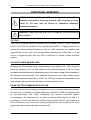
WARNING! Since computer monitors draw varied current upon switching on, it
may lead to problems with starting the UPS and the connected devices. In such
cases please try to start the UPS again when the mains voltage is back.
The main task of the UPS is to supply power to the devices connected to its output.
Power is supplied from the batterry in cases when the level of input voltage exceeds
the upper or lower threshold or when lack thereof is detected. The support time
2010/03/19
www.ever.eu
7