1
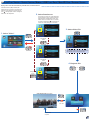
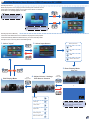
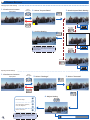
Input Source Settings
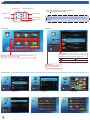
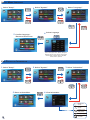
Adjusting Brightness Settings
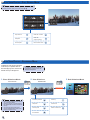
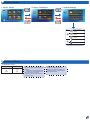
1. View Source Content
Display mode
Display
button guide
2. Select "Settings"
3. Select "Brightness"
4. Adjust Setting
Exit brightness settings
Scroll other settings: Contrast,
Sharpness, Color Mode,
LED Mode, Brightness
Return to Home menu
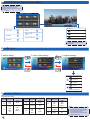
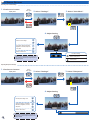
<Note>
When no key is pressed within 10 seconds, the
brightness icon automatically disappears and its
setting is applied.
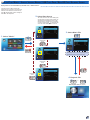
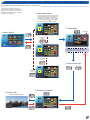
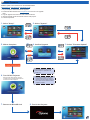
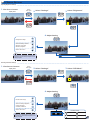
Selecting LED Mode Settings
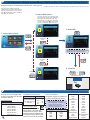
1. View Source Content
Display mode
Display
button guide
2. Select "Settings"
3. Select "LED Mode"
4. Adjust Setting
Exit LED mode settings
Scroll other settings: Brightness,
Contrast, Sharpness,
Color Mode, LED Mode
Return to Home menu
<Note>
When no key is pressed within 10 seconds, the
LED mode icon automatically disappears and its
setting is applied.
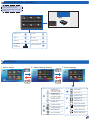
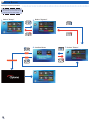
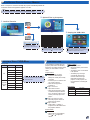
LED Mode settings
Movie
ECO
Bright
Standard
21