1
SVENSKA
NEDERLANDS
ESPAÑOL
ITALIANO
FRANÇAIS
DEUTSCH
ENGLISH
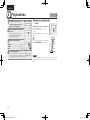
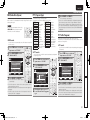
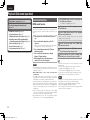
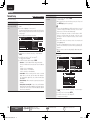
Playing a network audio
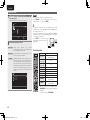
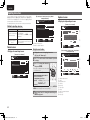
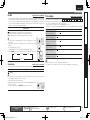
You can view photographs shared by particular users, or all of the
photographs shared on Flickr.
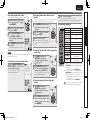
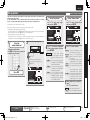
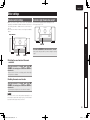
n Viewing photographs shared by particular users
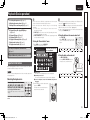
2
q Check the network environment,
then turn on this unit’s power
(vpage 24 “Connecting to a home
network (LAN)”).
w If settings are required, make the
“Network Connecting” (vpage 78).
Press AMP and then press
SOURCE SEL to display the
Source Select menu, then select
(vpage 25).
[1/2]
Flickr
All Content
3
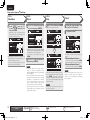
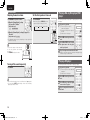
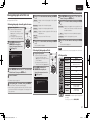
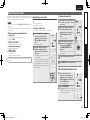
4 Enter “Username”.
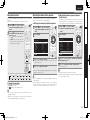
Press NET/USB and then use ui to select “Add
Flickr Contact”, then press ENTER or p.
• For character input, see page 62.
5
After inputting the “Username”, then press ENTER.
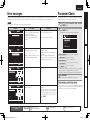
Displays a list of shared photographs.
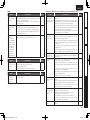
PhotoSets
Displays the folder (photograph album) list.
Contacts
Displays a Username registered for Flickr Contact by
a particular user.
Remove this
Contact
7
Deletes a user from Flickr Contact.
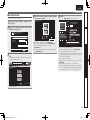
Press ui to select the file, and then press ENTER
or p.
The selected file is displayed.
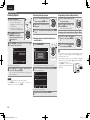
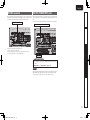
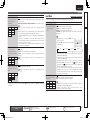
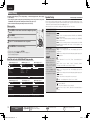
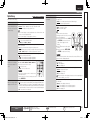
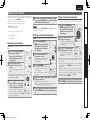
n Viewing all photographs on Flickr
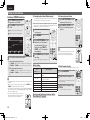
1 Prepare for playback.
q Check the network environment,
then turn on this unit’s power
(vpage 24 “Connecting to a home
network (LAN)”).
w If settings are required, make the
“Network Connecting” (vpage 78).
2
Press AMP and then press
SOURCE SEL to display the
Source Select menu, then select
(vpage 25).
[1/2]
Flickr
Add Flickr Contact
All Content
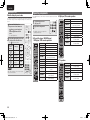
Interestingness Displays photographs that are popular from the
number of user comments or number of times they
are added as favorites.
Recent
Search by text
Displays the most recently added photographs.
Search for photographs by keyword.
5 orPressp. ui to select the file, and then press ENTER
The selected file is displayed.
NOTE
Depending on the file format, some photographs cannot be viewed.
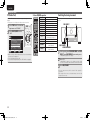
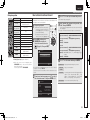
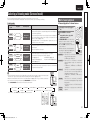
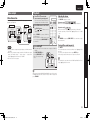
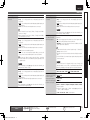
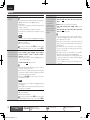
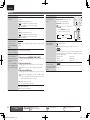
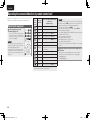
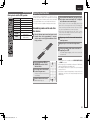
n Flickr operation
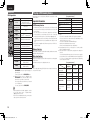
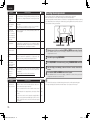
Operation buttons
PRESET +, –
Function
Preset channel selection
uio p
Cursor operation /
Auto search (cue, ui)
ENTER
(Press and release)
Enter
ENTER
(Press and hold)
Stop
SEARCH
RETURN
2
1–8
Page Searchz
Return
Stop
Preset channel selection
SHIFT
Preset channel block selection
TV POWER
TV power on/standby
(Default : Marantz)
TV INPUT
Switch TV input
(Default : Marantz)
z When the menu screen is displayed, press
SEARCH/INFO, then press o (previous page) or p
(next page).
To cancel, press ui or SEARCH/INFO.
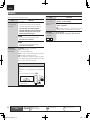
Information
The “Username” entered in step 4 is displayed.
• If the Username you typed in cannot be found, “The Flickr Contact
you entered could not be found” appears. Check and type in the
correct Username.
Photostream
Displays the favorite photographs of the specified
user.
Advanced version
Add Flickr Contact
Favorites
Basic version
1
Prepare for playback.
NET/USB and then use ui to select “All
6 orPressp. ui to select the folder, and then press ENTER 3 Press
Content”, then press ENTER or p.
4 orPressp. ui to select the folder, and then press ENTER
Simple version
Viewing photographs on the Flickr site
37
1.SR7005N_ENG_0619校了_0622修正.indd
37
2010/06/22
13:54:23