1
AgfaPhoto OPTIMA 103
Using the Stabilizer
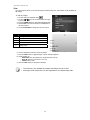
The Stabilizer function works according to the luminance of the target object. This function uses
special image data processing for getting high sensitivity of CCD. High sensitivity can use higher
shutter speed compared with normal mode, so it reduces influence of hand shaking. Press the
stabilizer button before pressing the Shutter button.
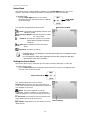
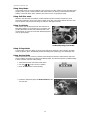
Stabilizer button
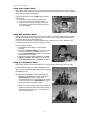
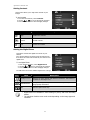
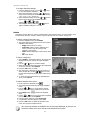
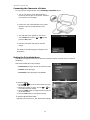
To activate Stabilizer
• Press the Stabilizer button on top of your
camera to enable/disable stabilizer.
Stabilizer on
If Stabilizer is enabled, the stabilizer icon is
displayed on the LCD monitor and the ISO setting
is automatically set to Auto. See "ISO" on page 23
for more details.
Setting the Zoom Control
Using a combination of 4 times optical zoom and 5 times digital zoom permits zoom photography at up
to 20 times magnification. While the digital zoom can be a useful feature, the more an image is
enlarged (zoomed), the more pixelated (grainier) the image will appear. Please refer to "Setting the
Digital Zoom" on page 37 on how to setup digital zoom.
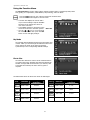
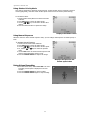
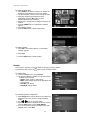
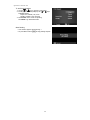
To adjusts the optical zoom:
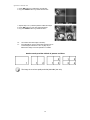
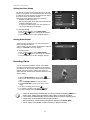
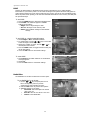
1. Spin the Zoom dial to zoom in or zoom out an image.
2. The zoom indicator appears on the LCD monitor.
Zoom dial
1.
2.
Spin the dial clockwise (right) to zoom in.
Spin the dial counterclockwise (left) to zoom out.
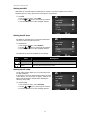
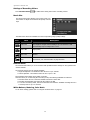
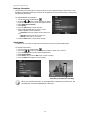
To adjusts the digital zoom:
1.
2.
3.
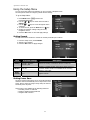
Activate digital zoom. See "Setting the Digital Zoom" on page 37.
Spin the Zoom dial clockwise/counterclockwise optically zooms in/out to the maximum until
it stops.
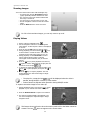
Release the Zoom dial.
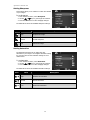
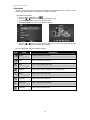
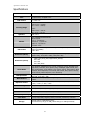
Optical zoom 1X to 4X
Digital zoom 1X to 5X
Digital zoom is not activated in recording videos
19