1
Trouble-shooting
Carry out the problem-solving measures described in the following section before
contacting Customer Support.
Turn off the DVD player immediately as soon as you suspect a malfunction. Unplug
the power plug and check whether the DVD player is unusually warm or whether
smoke is rising from it.
Problem
Possible cause
Remedy
The DVD
Disc cover not closed
Close disc cover
player does not
No disc inserted
Insert disc
work
Disc inserted the wrong way
Insert disc with label facing up
Disc dirty or deformed
Clean disc, or insert other disc
Regional code of the player does not match
Purchase DVD with corresponding
the regional code of the DVD
regional code
Moisture on lens
Remove disc and turn off DVD player
for at least two hours
No audio
Device not properly connected
Check connexions and connect device in
Headphones connected (loudspeaker off)
Pull out the headphones
DVD sound settings incorrect
Check sound settings and set sound
the correct way
correctly
No video
Disc dirty or deformed
Clean disc, or insert other disc
TV screen is off or in the incorrect video
Turn on LCD screen and/or set correct
mode
video mode
Device not properly connected
Check connexions and connect device in
the correct way
Poor video
Disc dirty or deformed
Clean disc, or insert other disc
Repeated
Loop mode is switched on
Exit the loop mode
playback of a
Disc dirty or deformed
Clean disc, or insert other disc
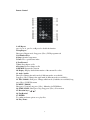
Remote control
Obstacle between remote control and DVD
Remove obstacle
does not work
player
and/or audio
quality
section
Remote control not pointed at DVD player
Point remote control directly at DVD
Remote control battery inserted the wrong
Check the battery's polarity and, if
way
necessary, insert battery correctly
Battery too low or completely discharged
Insert new battery
player
Other possible causes for problems:
Static discharges or other external interferences can cause the DVD player to
malfunction. When this happens, disconnect the power plug from the mains socket
and plug it back in.
If the problem persists, disconnect the device from the mains again and contact
Customer Service or a repair shop.
14