1
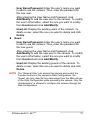
- User Name/Password: Enter the user’s name you want
to add to use the camera. Then, enter the password for
the new user.
After entering the User Name and Password, click
Add/Modify to add the new user to the camera. To modify
the user’s information, select the one you want to modify
from UserList and click Add/Modify.
z
- UserList: Display the existing users of the camera. To
delete a user, select the one you want to delete and click
Delete.
Guest
- User Name/Password: Enter the user’s name you want
to add to use the camera. Then, enter the password for
the new guest.
After entering the User Name and Password, click
Add/Modify to add the new user to the camera. To modify
the user’s information, select the one you want to modify
from UserList and click Add/Modify.
- UserList: Display the existing guests of the camera. To
delete a user, select the one you want to delete and click
Delete.
NOTE The “General User” can access the camera and control the
Function buttons of the camera’s Web Configuration; the
“Guest’ can only view the live view image from the Main screen
of the Web Configuration while accessing the camera. Only the
“Administrator” is allowed to configure the camera through the
Web Configuration.
IPRobocam541 / 641TM
33