1
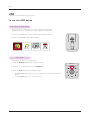
USB
PHOTO LIST
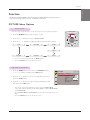
* It is available to playback the photo file(*.jpg) in the USB device. The On Screen Display may be different from your set. Images are an example to assist with the projector operation.
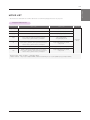
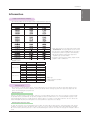
PHOTO(*.JPEG) supporting file
Baseline : 64 x 64 ~ 15360 x 8640
Progressive : 64 x 64 ~ 1920 x 1440
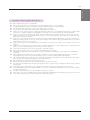
• You can play JPEG files only.
• Non-supported files are displayed in the form of predefined icon.
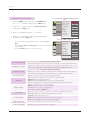
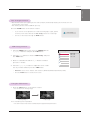
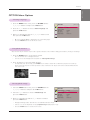
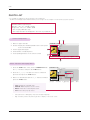
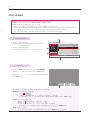
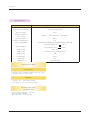
Screen Components
3
1 . Moves to upper level file
2 . Preview: Display the thumbnail/folder name of the photo
in the selected folder
2
3 . Current page/Total pages
4 . Total number of marked photos
5 . Corresponding buttons on the remote control
1
4
PHOTO LIST
Page 1/1
[090704]
No Marked
Up Folder
Butterfly
Photo
X.Box
DSC0001
DSC0002
1366x768 125KB
Up Folder
ꔂ Navigation
DSC0003
DSC0004
ꔉ PopUp Menu
꘧ Page Change
ꘁ Mark
ꕉ Exit
5
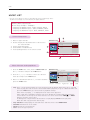
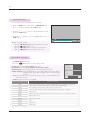
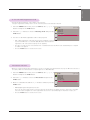
Photo Selection and Popup Menu
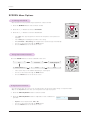
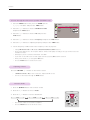
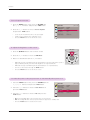
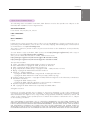
1 . P
ress the USB button. Then, move to PHOTO LIST with
the <, > buttons and press the ◉OK button.
PHOTO LIST
Page 1/1
[090704]
Butterfly
Photo
2 . Press the ∧, ∨, <, > buttons to move to a desired
photo file and press the ◉OK button.
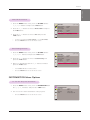
3 . Move to a desired item with the ∧, ∨ buttons and then
press the ◉OK button.
1366x768 125KB
Up Folder
ꔂ Navigation
• • • • i 1366x768, 125KB
X.Box
View
DSC0001
Mark All
DSC0002
Delete
DSC0003
Close
DSC0004
ꔉ PopUp Menu
View: Display the selected item.
Mark All: Mark all photos on the screen.
Delete: Delete the selected photo item.
Close: Close the pop-up menu.
• If the picture file is damaged, it may not be displayed properly.
• High resolution pictures may take longer time to display on the entire screen.
32
No Marked
Up Folder
꘧ Page Change
ꘁ Mark
ꕉ Exit