1
14Telephone
answering
machine
Note
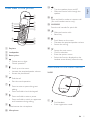
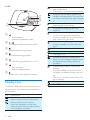
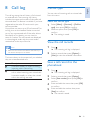
Through the base
Press to turn the answering machine on or
off in standby mode.
Note
•• When the answering machine is switched on, it answers
incoming calls after a certain number of rings based on
the ring delay setting.
•• Available only for XL395.
Your phone includes a telephone answering
machine that records unanswered calls when it
is on. By default, the answering machine is set
to the [Record also] mode. You can also access
the answering machine remotely and change the
settings through the answering machine menu
on the handset.
The LED indicator on the base station lights up
when the answer machine is on.
Turn the answering machine
on or off
You can turn the answering machine on or off
through the base station or the handset.
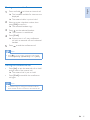
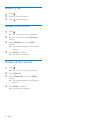
Through the handset
1
2
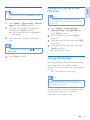
Select [Menu] > [Answ. Machine] > [Voice
answer], then press [OK] to confirm.
Select [Answer only]/[Record also]/[Off],
then press [OK] to confirm.
»» The setting is saved.
30 EN
Set the answering machine
language
Note
•• This feature only applies to models with multiplelanguage support.
The answering machine language is the language
for the announcements.
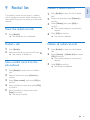
1
2
Select [Menu] > [Answ. Machine] > [Voice
language], then press [OK] to confirm.
Select a language, then press [OK] to
confirm.
»» The setting is saved.
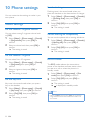
Announcements
The announcement is the message your caller
hears when the answering machine picks up
the call. The answering machine has 2 default
announcements: the [Record also] mode and
[Answer only] mode.