1
MultiMedia
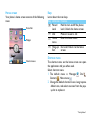
Media player
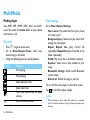
Player settings
Save AMR, MP3, WMA, WAV, AAC and AAC+
music files under the Audio folder on your phone
and memory card.
Go to Muisc>Options>Settings:
or memory card.
• Background play: Continue to play music after
Play music
1 Press O to go to home menu.
2 Go to Muisc>Options>Tracks, select your
desired song in the folder.
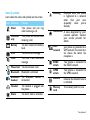
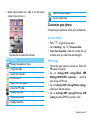
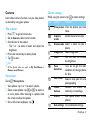
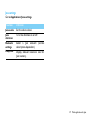
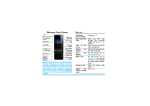
3 Using the following keys to control playback:
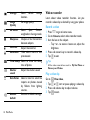
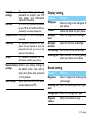
Function
• Music source: Play audio files from your phone
Definition
Start playing.
exiting the music player.
• Repeat: Repeat One (play current file
•
•
•
Pause playing.
Select previous track.
S
16 MultiMedia
Select next track.
Press side volume key to adjust
volume.
Go to the home screen.
•
repeatedly); Repeat All (play all the files in the
folder repeatedly).
Shuffle: Play music files in the folder randomly.
Equaliser : Select music style suitable to your
songs.
Bluetooth settings: Switch on/off Bluetooth
stereo output.
Refresh list: Refresh all songs in your list.
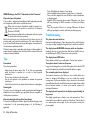
To turn off the music player on the home screen.
Tap
on the Music player widget.
Note:
•
When listening to music, adjust the volume to a moderate
level. Continuous exposure to high volume may impair your
hearing.