1
4
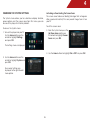
Adjusting the Digital Audio Output
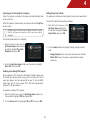
Activating or Deactivating Dynamic Range Control (DRC)
This setting changes the type of digital audio data the player
outputs over HDMI and Optical/SPDIF. Depending on your setup,
you may need to try several settings.
When activated, this setting normalizes the volume of a disc’s
audio track. The loudest parts of the soundtrack will be quieter,
and the quietest parts will be louder. This effect can be useful
when viewing movies late at night, when others might be sleeping.
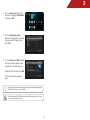
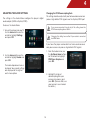
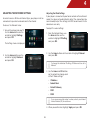
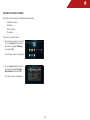
1. From the Audio menu, use the
Up/Down Arrow buttons on
the remote to highlight Digital
Audio Output and press OK.
To use this setting, your player’s audio must be connected
with HDMI or Optical/SPDIF, and digital output must be set to
Bitstream Mixed or PCM.
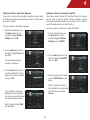
To activate or deactivate Dynamic Range Control:
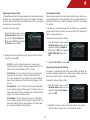
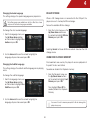
1. From the Audio menu, use the
Up/Down Arrow buttons on the
remote to highlight DRC and
press OK.
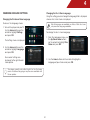
2. Highlight the digital audio format best suited to your home
audio receiver (Bitstream, PCM, or Reencode) and press OK.
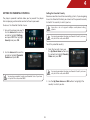
2. Use the Arrow buttons on the remote to highlight On, Off, or
Auto and press OK.
Selecting Auto for this setting turns on Dynamic Range Control
for all Blu-ray soundtracks except Dolby TruHD.
20