1
Connecting your Printer to a Computer
USB Interface Requirements
Universal Serial Bus (version 2.0 compliant) provides a fast interface that is compatible with
your existing PC hardware. USB’s “plug and play” design makes installation easy. Multiple
printers can share a single USB port/hub.
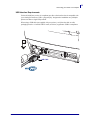
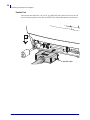
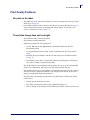
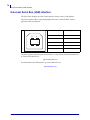
When using a USB cable (not supplied with your printer), verify that the cable or cable
packaging bears the “Certified USB™” mark (see below) to guarantee USB 2.0 compliance.
.
USB Cable
5/23/2012
GC420d™ User Guide
P1052685-001
19