1
Instruction Manual
Display light dimmer
When the radio is turned off, set the DISPLAY LIGHT DIMMER LOW / HIGH / AUTO
OFF (21) to the AUTO OFF mode, the LED display will automatically turn off in 15
seconds. Press any key button to turn the display on.
DST – Daylight Saving Time (summer- and wintertime)
Press the >> / DST button (4) and hold it for 3 seconds to toggle between the
summer- en wintertime.
Radio operation
• Press the ON / OFF button (12) to turn the radio on.
• Set the AM/FM BAND switch (11) to the desired waveband.
• Select the station by using the TUNING knob (8).
• Turn the VOLUME knob (7) to adjust volume as required.
• Press the ON / OFF button (12) again to turn the radio off.
Notes:
• The AM band uses an internal directional aerial, rotate the radio for best reception.
• Ensure that the FM antenna (23) is completely unrolled and extended for best
FM reception.
Aux in jack
The AUX IN jack (19) can be used to playback alternate audio signal sources on the
unit speakers. This AUX IN jack (19) requires a 3.5mm audio cable for an input signal
(3.5mm audio cable is not included).
Specifications
Frequency : Battery backup : Power source : Projection unit
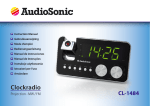
• Focus setting: to adjust the brightness / focus of the PROJECTION UNIT (17) use
the FOCUS ADJUSTMENT FOR PROJECTION UNIT (18) until the projected time is
clearly shown on the ceiling or wall.
• To flip the projected image by 180°, press the PROJECTION TIME 180° FLIP button (14).
Notes:
• Projects time image on the ceiling or wall of a darkened room.
• Ideal projection distance is 3-9 feet/1-3 meters.
Alarm battery back-up system
This clock radio includes a alarm battery back-up circuit that can wake you up even
if the power is ‘off’ at the selected wake up time. The clock display will be off and
the radio will not operate, but a separate mini-buzzer will turn ‘on’ automatically to
wake you up, even if you had selected the ‘wake to radio’ option.
The alarm will sound for 30 seconds and then shut off automatically. To stop the
alarm buzzer immediately, press the power on/off button. Pressing the snooze
button has no effect during battery back-up alarm operation.
WARNING
1.
2.
3.
4.
AM 530 – 1600 kHz / FM 88 – 108 MHz
1 x 3V CR2032 (flat) lithium battery (not included)
AC230V - 50Hz, 5W
Reset
The RESET button (20) is located on the back of the unit. Use a ballpoint pen to
press the RESET button (20) whenever you change the batteries, or when the unit
is not performing as expected. This will return all settings to the default value, you
will lose any stored data (alarm and clock settings).
en
5.
6.
7.
8.
No flame sources, such as lighted candles, should be placed on the apparatus.
Do not place the product in closed bookcases or racks without proper ventilation.
The mains plug is used as the disconnect device, the disconnect device shall
remain readily operable.
The ventilation should not be impeded by covering the ventilation openings
with items, such as newspapers, table-cloths, curtains, etc.
It shall not be exposed to dripping or splashing and that no objects filled with
liquids, such as vases, shall be placed on the apparatus.
Do not connect FM antenna to outside antenna.
The unit should not be exposed to direct sunlight, very high or low
temperature, moisture, vibrations or placed in dusty environment.
Do not use abrasive, benzene, thinner or other solvents to clean the surface
of the unit. To clean, wipe it will mild non-abrasive detergent solution and
clean soft cloth.
5