1
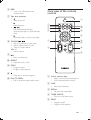
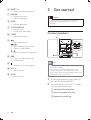
f PRESET +/& Select a preset radio station.
3 Get started
g POWER
& Switch on the unit
& Switch to standby.
h SLEEP
& Set the sleep timer.
i CLOCK/DISPLAY
& Set the clock.
& Display play information.
j TIMER
& Set the alarm timer.
Caution
& Use the controls only as stated in this user manual.
& Always follow the instructions in this chapter in
$<
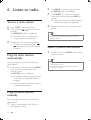
Connect speakers
k
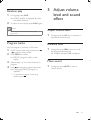
& Start or pause play.
/
& Search within a track or disc.
& Tune to a radio station.
/
& Skip to a previous or next track.
l DBB
& Turn on or off dynamic bass
enhancement.
Note
m
& Stop play or erase a program.
n VOL +/& Adjust volume.
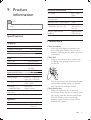
& Insert the stripped portion of each speaker wire into
the socket completely.
& For optimal sound, use the supplied speakers only.
& Connect only speakers with impedance that is the
same or higher than the supplied speakers. Refer to the
<
o MUTE
& Mute volume.
1
`
H%
the main unit marked 'RIGHT'.
2
Insert the red wire to the red (+) socket.
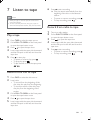
To insert each speaker wire:
a !"#
b Insert the speaker wire fully.
c #
10
EN