1
VIVOTEK
Installation
Hardware Installation
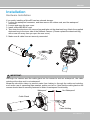
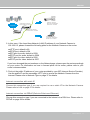
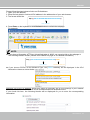
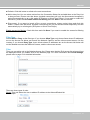
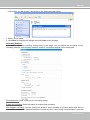
If you prefer installing a MicroSD card as onboard storage:
1.Loosen the waterproof connector, and then remove the rubber seal, and the waterproof
connector.
2.Loosen and open the rear cover.
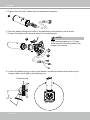
3.Install a MicroSD/SDHC card.
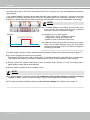
4.Tear down the aluminum foil vacuum bag and take out the dessicant bag. Attach the supplied
desiccant bag to the inner side of the Network Camera. (Please replace the dessicant bag
with a new one every time you open the rear cover.)
5.Make sure all cable lines are securely connected.
M icro
SD
3
2
4
1
l
a ge
Silic
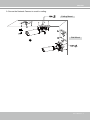
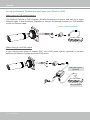
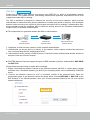
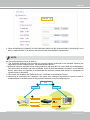
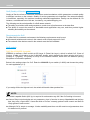
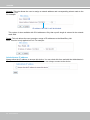
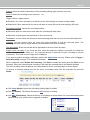
IMPORTANT:
Although the camera and the cable gland on the camera's end are waterproof, the cable
molding at the other end is not waterproof.
Measures should be taken to prevent water from leaking in through the cable-end molding,
such as the use of expanding foam sealant, putties, and so on. Note that the cable gland on the
camera should also be securely fastened to attain its waterproof functionality.
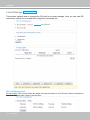
Waterproof
Not Waterproof
Cable Gland
Cable Molding
User's Manual - 7