1
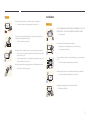
Do not use or keep combustible spray or an inflammable substance near
the product.
Caution
•• An explosion or fire may result.
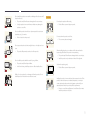
Leaving the screen fixed on a stationary image for an extended period of
time may cause afterimage burn-in or defective pixels.
!
Ensure the vents are not blocked by tablecloths or curtains.
•• Activate power-saving mode or a moving-picture screen saver if you
will not be using the product for an extended period of time.
!
•• An increased internal temperature may cause a fire.
-_100
Do not insert metallic objects (chopsticks, coins, hairpins, etc) or objects
that burn easily (paper, matches, etc) into the product (via the vent or input/
output ports, etc).
•• Dust accumulation combined with heat can cause a fire, electric shock
or electric leakage.
!
Use the product at the recommended resolution and frequency.
•• Be sure to power off the product and disconnect the power cord
when water or other foreign substances have entered the product.
Then contact Samsung Customer Service Center.
•• Product failure, an electric shock or fire may result.
Disconnect the power cord from the power socket if you do not plan on
using the product for an extended period of time (vacation, etc).
•• Your eyesight may deteriorate.
!
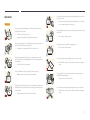
Do not hold the product upside-down or move it by holding the stand.
Do not place objects containing liquid (vases, pots, bottles, etc) or metallic
objects on top of the product.
•• The product may fall and become damaged or cause an injury.
•• Be sure to power off the product and disconnect the power cord
when water or other foreign substances have entered the product.
Then contact Samsung Customer Service Center.
•• Product failure, an electric shock or fire may result.
Looking at the screen too close for an extended period of time can
deteriorate your eyesight.
!
Do not use humidifiers or stoves around the product.
•• A fire or electric shock may result.
11