1
Moving and Installing
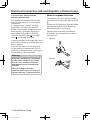
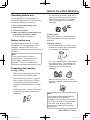
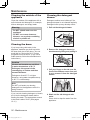
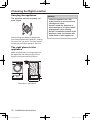
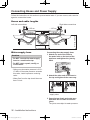
Removing the anchor bolts
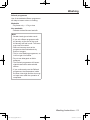
Four anchor bolts keep the interior of the
appliance in place while the appliance
is being moved. Remove them before
installation, using the spanner that is
supplied with the appliance. Follow the
following instructions.
Note
The anchor bolts must be removed
before the appliance is operated.
They may cause excessive vibration.
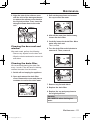
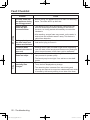
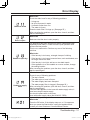
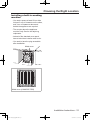
3. Remove the screws, which are next
to the bolt holes.
4. Push each cover cap (included with
the accessories) over each bolt
hole, and then secure them with the
screws you removed in step 3.
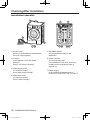
Note
A
Make sure that you store the anchor
bolts, because they are used when
transporting the appliance. If the
appliance is passed on to another
person, make sure to give the anchor
bolts to that person.
Make sure the bolt caps are attached
without fail. Failure to observe this may
result in water entering the washing
machine, leading to malfunctions.
B
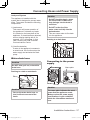
Moving the appliance
B
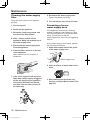
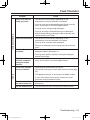
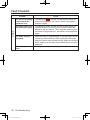
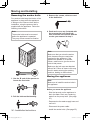
1. Use the ‘B’ end of the spanner to
loosen the four bolts.
2. Pull the bolts out horizontally.
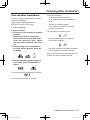
Note
Make sure to install the anchor bolts in
the appliance.
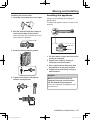
Before you move the appliance
- Shut the tap and run the appliance to
drain the water. Drain any remaining
water from the pump hose. (See page
25.)
- Depressurize the water-supply hose and
remove it.
- Disconnect the power cable.
34 - Installation Instructions
NA-140VS4_English.indb 34
- Install the anchor bolts. (See page 35.)
2012-12-27 13:12:17