1
Play from a PC
You can also listen to audio through Bluetooth
in PC.
Play from an external device
You can also listen to an external audio device
through this speaker.
Note
•• Make sure that you have installed Bluetooth driver in
your PC before pairing.
•• The steps below are only for windows 7 operating
system. If you use other OS/IOS , refer to other OS/
IOS help.
1
2
3
4
5
Note
•• Your speaker can play under MP3-LINK audio only
when the Bluetooth paused or stopped.
1
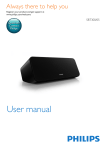
Slide to the right to turn on Bluetooth
function of the speaker.
»» The Bluetooth indicator flashes.
Activate the Bluetooth function in your PC.
Add a Bluetooth device in your PC and
select "PHILIPS SBT310" for pairing.
»» The speaker gives out 2 beeps and the
Bluetooth indicator steadily on.
2
Connect the MP3-LINK cable to:
• the MP3-LINK jack (3.5mm) on the
back of the speaker.
• the headphone jack on an external
device.
Start to play on the device.
Set "PHILIPS SBT310" as default
communication device in your PC.
1). Right click the speaker icon ( ) in
the lower right corner of the Windows
home screen and select "Playback Devices"
from the option menu
2). Right click desired speaker and select
"Set as Default communnication Device".
Start music play on your PC .
Control play
During play,
• press VOL +/- to increase or decrease the
volume level.
10
EN