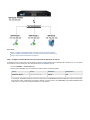
1
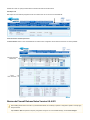
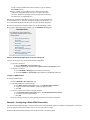
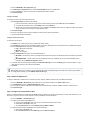
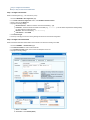
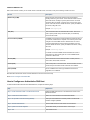
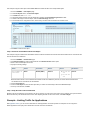
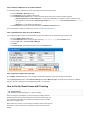
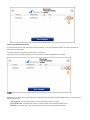
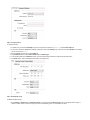
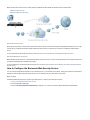
3. At the top of the Edit Access Rule window, click Save.
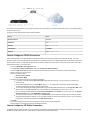
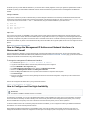
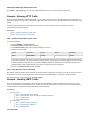
Step 2. Configure a Firewall Rule for the Connection from the Internet to the SIP Server
Configure a separate forwarding firewall rule to allow connections from the Internet to the SIP server. You can create a new firewall rule or edit an
existing rule. This example edits the INTERNET-2-LAN-SIP rule.
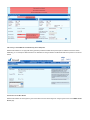
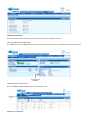
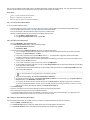
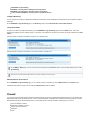
1. Go to the FIREWALL > Firewall Rules page.
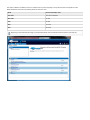
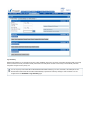
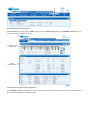
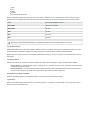
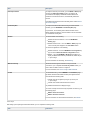
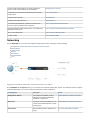
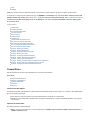
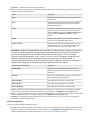
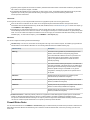
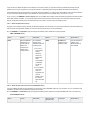
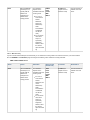
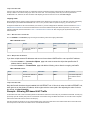
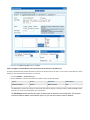
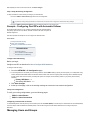
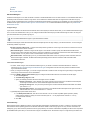
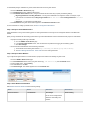
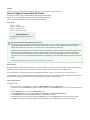
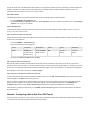
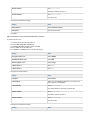
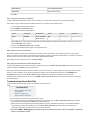
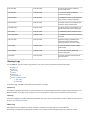
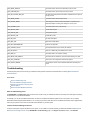
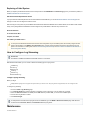
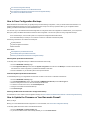
2. Edit the INTERNET-2-LAN-SIP rule. Ensure that it is enabled. Specify the following settings:
Action
Source
Destination
Redirected To
Redirect to Service
Internet
DHCP1 Local IP
SIP
The Source section specifies the origin of the network traffic that should be allowed. This example uses the predefined Internet network
object, but you can also enter the IP address of your SIP provider.
The Destination section specifies the public IP address that is allowed to receive SIP traffic. This example
uses the predefined DHCP1 Local IP network object, but you can also enter the public IP address.