1
L2TP Server
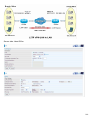
In L2TP session, users can set the bassic parameters(authentication, encyption, peer address, etc) for
L2TP Server, and accounts in the page of VPN Account. They both constitutes the complete L2TP
Server settings.
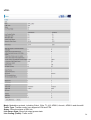
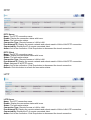
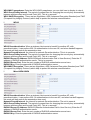
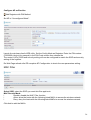
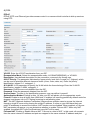
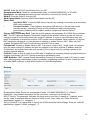
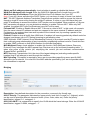
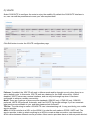
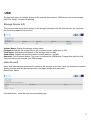
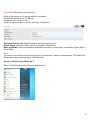
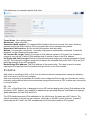
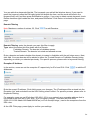
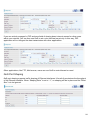
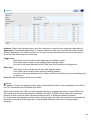
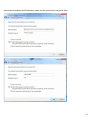
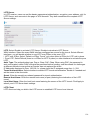
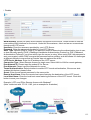
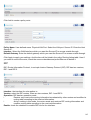
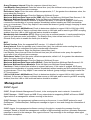
L2TP: Select Enable to activate L2TP Server. Disable to deactivate L2TP Server.
WAN Interface: Select the exact WAN interface configured as source for the tunnel. Select different
interfaces, you will decide whether to use L2TP over IPSec or the pure L2TP.
i L2TP over IPSec, Select “Default or IPSec Tunnel” only when there is IPSec for L2TP rule in place.
i Pure L2TP, Select Default (there is no IPSec for L2TP in place) or other interface to activate the pure
L2TP.
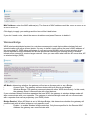
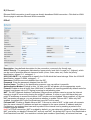
Auth. Type: The authentication type, Pap or Chap, PaP, Chap. When using PAP, the password is
sent unencrypted, whilst CHAP encrypts the password before sending, and also allows for challenges
at different periods to ensure that an intruder has not replaced the client.
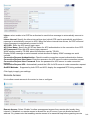
IP Addresses Assigned to Peer: 192.168.1.x: please input the IP assigned range from 1~ 254.
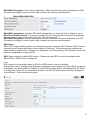
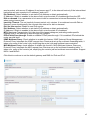
Tunnel Authentication: Select whether to enable L2TP tunnel authentication. Enable it if needed and
set the same in the client side.
Secret: Enter the secretly pre-shared password for tunnel authentication.
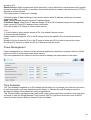
Remote Host Name: Enter the remote host name (of peer) featuring the destination of the L2TP
tunnel.
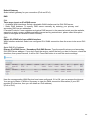
Local Host Name: Enter the local host name featuring the source of the L2TP tunnel. Click Apply to
submit your L2TP Server basic settings.
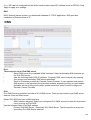
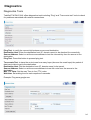
L2TP Client
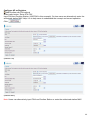
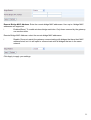
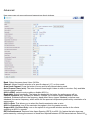
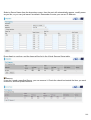
L2TP client can help you dial-in the L2TP server to establish L2TP tunnel over Internet.
130