1
Section 2: Installation
Manual Hardware Installation
If you wish to set up your camera without using the Camera Setup Wizard, please follow these steps.
Note: In order to use the mydlink features of this product, you will need to go through the Camera Setup Wizard.
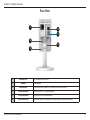
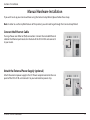
Connect the Ethernet Cable
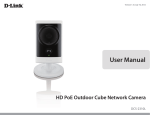
If using a Power over Ethernet (PoE) connection: Connect the included Ethernet
cable to the Ethernet port located on the back of the DCS-2210L and connect it
to your router.
Attach the External Power Supply (optional)
Attach the external power supply to the DC Power receptor located on the rear
panel of the DCS-2210L and connect it to your wall outlet or power strip.
D-Link DCS-2210L User Manual
17