1
ENGLISH
5
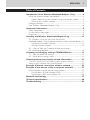
Table of Contents
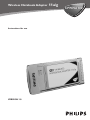
Introduction of the Wireless Notebook Adapter 11a/g................6
What are wireless network connections?....................................................................6
Factors determining your network range and network speed ...............6
Securing your wireless network.................................................................................7
Packaging contents.....................................................................................................................7
Your Wireless Notebook Adapter 11a/g......................................................................8
Important information.....................................................................9
Safety Precautions ......................................................................................................................9
Environmental information....................................................................................................9
Disclaimer.....................................................................................................................................10
Installing the Wireless Notebook Adapter 11a/g ........................11
3.1 -Decide in what way you want the Wireless
Notebook Adapter 11a/g to connect to other wireless network devices....11
Infrastructure wireless network...............................................................................11
Ad Hoc wireless network ..........................................................................................12
3.2 - Use the 'How to...?" booklet to help you through
the installation procedure...................................................................................................12
Checking and changing settings: CPWNA Monitor ...................13
4.1 - How to access the settings....................................................................................13
4.2 - What do the settings mean ...................................................................................15
General network and security related information....................21
The DOs and DON'Ts of securing your wireless network ..........................21
Securing your network from Internet access..........................................................22
Example of how to secure your wireless network ......................23
Example of use: how to set-up a computer network? ................27
Which Windows version do you have installed....................................................27
For Windows XP and Windows 2000................................................................27
For Windows 98SE and Windows Me................................................................33
Network terminology ....................................................................37
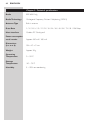
Technical specifications ..................................................................40
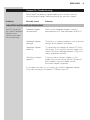
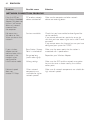
Troubleshooting ..............................................................................41