1
RH387H-P-BPOLLLK-ENG
6/25/08
12:22 PM
Page 21
Play a disc - more you can do
Slow down the playing speed HDD
Playing a disc that contains a menu DVD
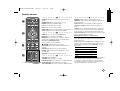
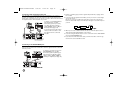
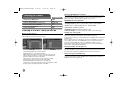
While playback is paused, press SCAN(bb or BB) to slow down forward or
reverse playback. You can change the various playback speed by pressing
SCAN (m or M) repeatedly. Press PLAY ( N)to continue play at normal
speed.
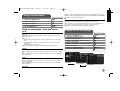
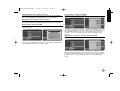
The menu screen may be displayed first after loading a DVD which contains a
menu.
Use the b / B / v / V buttons to select the title/chapter you want to view, then
press ENTER to start playback. Press TITLE or MENU/LIST to return to the
menu screen.
Skip to the next/previous chapter/track/file
HDD
DVD ALL
ACD
MP3
WMA
DivX
Press SKIP (>) to move to the next chapter/track/file.
Press SKIP (.) to return to the beginning of the current chapter/track/file.
Press SKIP (.) twice briefly to step back to the previous chapter/track/file.
Pause a playback
Press PAUSE/STEP (X) to pause playback. Press PLAY ( N) to continue
playback.
Frame-by-Frame playback HDD
DVD ALL
Press PAUSE/STEP (X) repeatedly to play Frame-by-Frame playback.
You can advance or back up the picture frame-by-frame by pressing b / B
repeatedly during PAUSE mode.
Fast forward or fast reverse HDD
DVD ALL
ACD
DivX
Press SCAN (m or M) to play fast forward or fast reverse during playback.
You can change the various playback speed by pressing SCAN (m or M)
repeatedly. Press PLAY ( N) to continue play at normal speed.
Hearing a different audio HDD
DVD ALL
DVD ALL
Viewing the Title menu DVD
Press TITLE to displays the title menu or disc menu. If the current DVD title has
a menu, the title menu appears on the screen. Otherwise, the disc menu may
appears.
Playing repeatedly HDD
DVD ALL
ACD
MP3
WMA
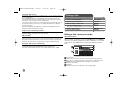
Press REPEAT repeatedly to select an item to be repeated. The current title,
chapter, folder or track will be played back repeatedly. To return to normal playback, press REPEAT repeatedly to select [OFF].
Repeating a specific portion (A-B) HDD
DVD ALL
ACD
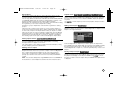
Press REPEAT to select [A-] at the beginning of the portion you wish to repeat
and press ENTER at the end of the portion. Your selected portion will be
repeated continually. You cannot select a portion less than 3 seconds.
To return to normal playback, press REPEAT repeatedly to select [OFF].
Last Scene Memory DVD
This unit memorizes last scene from the last disc that is viewed. The last scene
remains in memory even if you remove the disc from the player or switch off the
unit. If you load a disc that has the scene memorized, the scene is automatically recalled.
DivX
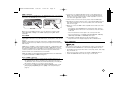
Press AUDIO then press b or B repeatedly to hear a different audio language,
audio track or encoding method.
21