1
5.11
Main PCBA
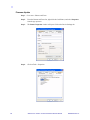
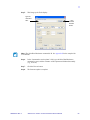
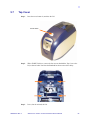
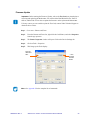
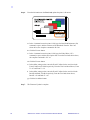
Important • Before starting this procedure, Print a Test Card (see Section 2.10). You will
need the Head Resistance, the X and Y Offsets, and the End of Text value to update the
firmware on the replacement Main PCBA.
If for any reason you are unable to print the Test Card, contact Zebra Technical Support to
obtain the above values.
Note • If replacing a Main PCBA that includes the Ethernet Interface Option, see Appendix C
for additional information.
90
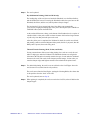
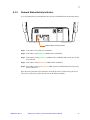
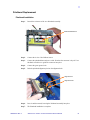
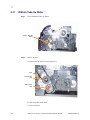
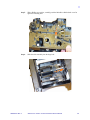
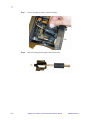
Step 1.
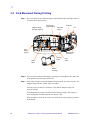
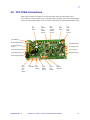
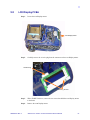
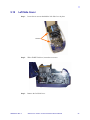
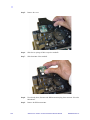
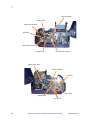
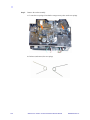
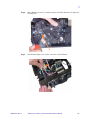
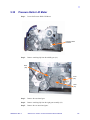
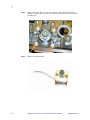
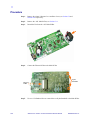
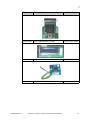
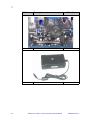
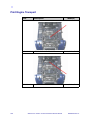
With the Bottom Cover removed, the Main PCBA is visible and accessible.
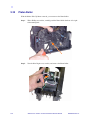
Step 2.
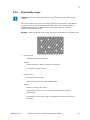
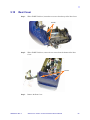
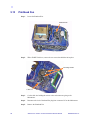
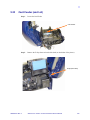
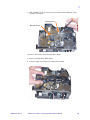
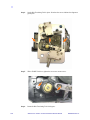
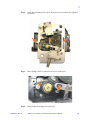
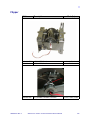
With a TORX T10 driver, remove the five screws holding the Main PCBA in place.
Note that the five orange arrows point out the PCBA mounting hardware.
Zebra P110i / P110m / P120i Card Printers Service Manual
980584-001 Rev. A