1
Chapter 3: Software Application and Usage
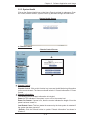
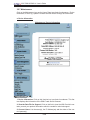
3.2.2. Virtual Media
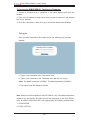
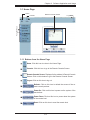
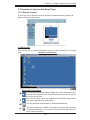
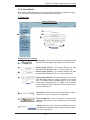
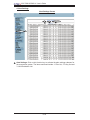
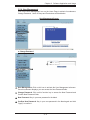
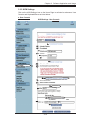
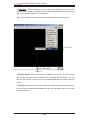
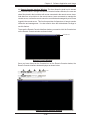
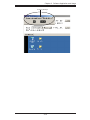
Click on the Virtual Media icon on the Home Page to activate its submenus-Floppy
Disk, CD-ROM, Drive Redirection and Options as listed below.
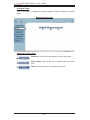
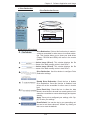
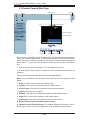
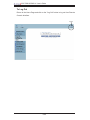
a. Floppy disk
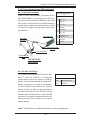
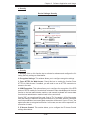
)ORSS\'LVN6FUHHQ
2
3
1
4
5
6
7
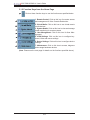
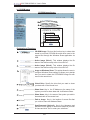
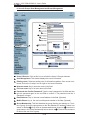
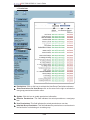
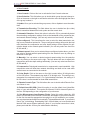
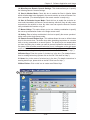
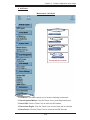
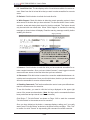
Explanation of Functions
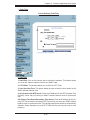
)ORSS\'LVN: Click on this function key to upload the data
1
VWRUHGLQWKHORFDOÀRSS\GLVNLPDJHWRWKHUHPRWHKRVW
2
$FWLYH ,PDJH 'ULYH: This window displays the data
that has been uploaded to Drive 1 of the remote host.
3
$FWLYH ,PDJH 'ULYH: This window displays the data
that has been uploaded to Drive 2 of the remote host.
4
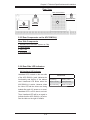
Floppy Image Upload: This option allows the user to upORDG WKH ÀRSS\ LPDJH DV ÀRSS\ ORFDWHG LQ WKH UHPRWH
KRVW 7KH ÀRSS\ LPDJH XSORDGHG VKDOO EH LQ WKH ELQDU\
format with a maximum size of 1.44MB. It will be loaded
to the Supermicro SIMLP card and will be emulated to the
host as a USB device.
5
6
7
9LUWXDO'ULYH: Select a drive in the remote host as a destination drive for you to upload your image data.
Floppy Image File &OLFN RQ %URZVH WR SUHYLHZ DQG
VHOHFW WKH ¿OHV WKDW \RX ZLVK WR XSORDG WR WKH KRVW GULYH
selected.
Upload2QFHWKHFRUUHFW¿OHQDPHDSSHDUVLQWKHER[
FOLFN8SORDGWRXSORDGWKHÀRSS\LPDJHWRWKHGULYHVSHFL¿HGLQWKHUHPRWHKRVW
3-7