1
DMC-GF6X&GF6K&GF6W&GF6EB-VQT4Y72_eng.book 23 ページ
2013年3月29日 金曜日 午後2時11分
Recording
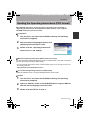
Selecting the Recording Mode
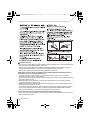
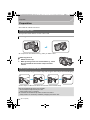
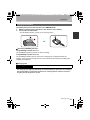
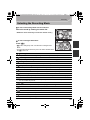
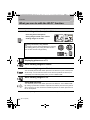
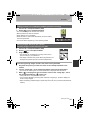
∫ To select a Recording Mode with the mode dial
Select the mode by rotating the mode dial.
• Rotate the mode dial slowly to select the desired mode A.
∫ To select Intelligent Auto Mode
Press [¦].
• [¦] button will light up when it is switched to Intelligent Auto
Mode.
• The Recording Mode selected by the mode dial is disabled while
the [¦] button is lit.
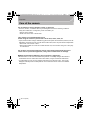
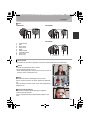
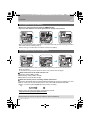
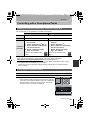
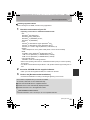
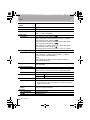
Intelligent Auto Mode
The subjects are recorded using settings automatically selected by the camera.
Intelligent Auto Plus Mode
Allows you to adjust the brightness and colour hue when in Intelligent Auto Mode.
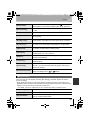
Programme AE Mode
Records at the aperture value and shutter speed set by the camera.
Aperture-Priority AE Mode
The shutter speed is automatically determined by the aperture value you set.
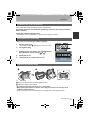
Shutter-Priority AE Mode
The aperture value is automatically determined by the shutter speed you set.
Manual Exposure Mode
The exposure is adjusted by the aperture value and the shutter speed which are manually adjusted.
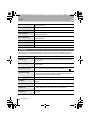
Creative Video Mode
Records motion pictures with a manually set aperture value and shutter speed.
¢ You cannot take still pictures.
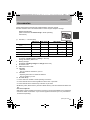
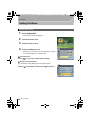
Custom Mode
Use this mode to take pictures with previously registered settings.
Panorama Shot Mode
This mode allows you to take panorama pictures.
Scene Guide Mode
This mode allows you to take pictures that match the scene being recorded.
Creative Control Mode
Record while checking the image effect.
(ENG) VQT4Y72
23