1
is
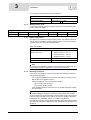
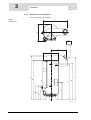
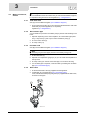
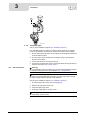
11.4 ADM Troubleshooting table - no hot water
Warning
Maintenance may only be performed by a qualified service and maintenance engineer.
No hot water
Symptom
Cause
Precautions
Comment
Green LED OFF and
Red LED ON
No supply voltage
present
1. Check if the isolator is ON.
See the ADM electrical diagram (14 "Appendices")
If the error cannot be rectified, contact your installation engineer
2. Check whether there is power to the isolator
3. Check whether there is power to the electrical connector block
4. Check whether there is power to the burner control
5. Check fuse in the burner control
The measured voltage must be 230 VAC (-15%, +10%).
Green LED ON and
Red LED OFF
Blockage in the flue gas 1. Trace the blockage
discharge (the flue gas
2. Remove the blockage
thermostat has cut out)
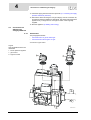
3. Reset flue gas thermostat (7.7 "Flue gas thermostat reset
button").
When a demand is detected, the appliance will restart
Symptom
Cause
Comment
Green LED ON and
Red LED ON
There are three possible causes for this error. In order to determine the cause, you must
cause the error to appear again:
Precautions
If the error cannot be resolved or is persistent, contact your
installation engineer
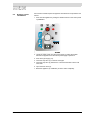
1. Reset the appliance by pressing the reset button 1x
2. If nothing happens, then the reset button has been pressed too often (maximum 5 times
in a single heating cycle). Disconnect the appliance from the mains and then restart it.
SeeIsolating the appliance from the mains and steps 3 through 5 of Starting the
appliance.
3. Decide which type of cause (a) or (b) describes the situation. (see tables below)
Instruction manual ADM
57