1
2
2.1
How to Use the Radio and MP3 Functions
Tuning the Radio
Once plugged in, click on the mode button MP3/FM to go to the radio mode. Use the rocker
control Left and Right to go up and down the frequency range. A short press on the rocker
button will rotate through the three FM tuning modes, Preset (you can choose one of your 20
preset stations), Manual (Tune your station manually), Search (let the radio search for the
next clear station). Press the MP3/FM button to leave the Radio mode and go back to the
Browse mode.
2.2
A
B
C
D
E
F
G
H
I
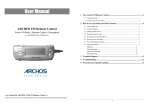
Built-in microphone
Record voice or FM Radio
Battery level / Playing / Recording / Paused / Repeat play / Volume level
Press Hold for 3 seconds to de-activate/reactivate all buttons
Short press changes between Stereo and mono reception
Increase + : Volume Up
Decrease - : Volume Down
In file browser mode acts to browse through the list of files.
Rocker Control : (left, right, center click) Depending on the current mode, has various functions.
Left: Previous/decrease
Right: Next/increase
Center: Play / Pause / change FM mode
3.5mm jack for headphones
Switch between FM mode and MP3 mode. Stop/Esc. Hold for 3 seconds to turn off.
Making a Radio Preset
You can save up to 20 preset stations with the FM remote control. Once you have found the
radio station you want to preset, press and hold the rocker button for 3 seconds. The Remote
will show P2 Saved, for example, indicating that this radio station is now program 2. If you
would like to erase a preset station, go to the tuning Preset mode, scroll to the program
number you want to clear, then hold down for three seconds. You now have a free program
slot to make a different FM preset.
If you would like to name your Preset radio stations, you can do this by editing, with a text
editor such as Notepad or SimpleText (Do no use a program such as Microsoft® Word), the
file FMPreset.txt which you will find on the root directory of the Jukebox hard drive. Each
line of the text file should contain the station frequency, a space character, and then the name
of the station. Some examples are 90.0 Easy Jazz or 107.8 Smash Hits FM Radio 107.8 or
91.3 KGTS. You are limited to 32 characters for naming a station preset. The entry on a line
of 0.0 represents an empty preset slot.
2.3
Setting the HOLD mode
Use this feature if you would like to prevent the FM Remote from changing stations or
settings accidentally if a button is pressed or hit. Hold down for three seconds on the HOLD
button to activate this. None of the buttons will now respond to being pressed. To de-activate
HOLD and make all buttons usable, press the HOLD button again for 3 seconds. Using the
HOLD on the Remote will lock both the Remote’s buttons and the Jukebox’s buttons. You
can also hold down on the F1 button on the Jukebox to de-activate HOLD.
5
6