1
1.1
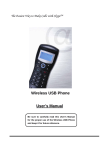
Phone layout
Front view
Back view
1
10
2
3
9
4
5
8
6
7
1. Receiver.
3.
Left soft key. Press to perform the function currently displayed on the bottom
left corner of the screen.
2. 4. 5. 6.
1-
LCD screen.
Call key. Press to dial or answer calls. Press to show the number you last dial.
Navigation/Volume keys. Press to scroll up/down through the menu items or
press to increase/decrease the volume.
Numeric keypad. Press to enter numbers. Double-press or hold the “0” key to
enter “+.”
Chapter 1: Basic information