1
Preparation for Hardware Maintenance
■
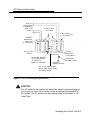
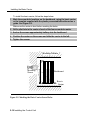
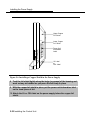
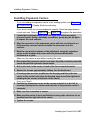
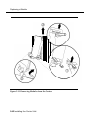
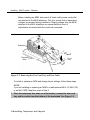
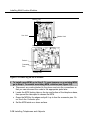
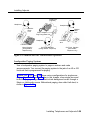
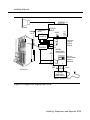
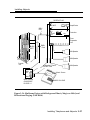
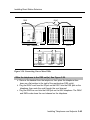
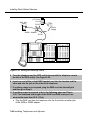
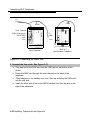
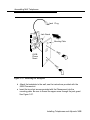
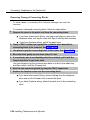
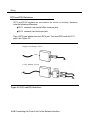
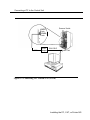
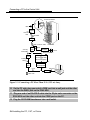
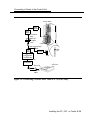
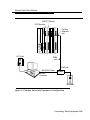
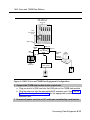
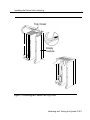
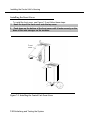
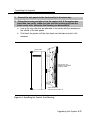
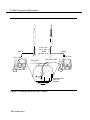
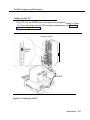
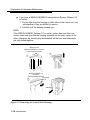
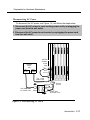
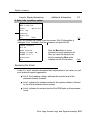
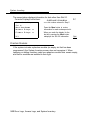
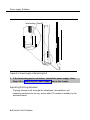
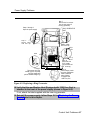
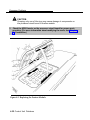
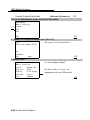
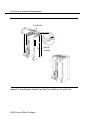
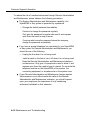
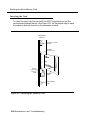
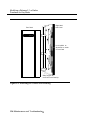
If you have a MERLIN LEGEND Communications System (Release 2.0
or earlier):
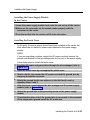
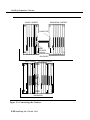
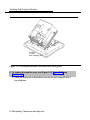
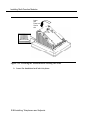
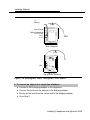
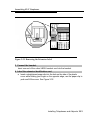
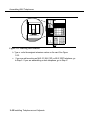
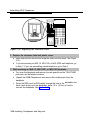
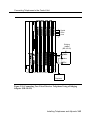
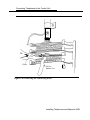
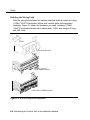
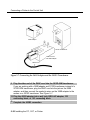
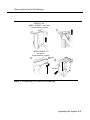
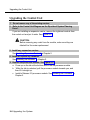
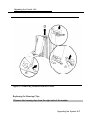
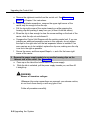
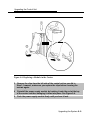
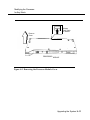
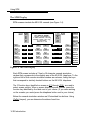
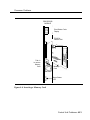
1. Pry the clips from the housing on both sides of the control unit; use
a screwdriver if they are difficult to remove.
2. Carefully pull the housing towards you.
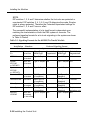
NOTE:
If the MERLIN LEGEND (Release 2.0 or earlier) system has more than one
carrier, make sure you hold the housing assembly on the basic carrier at the
sides, otherwise, the housing may disassemble as the front and side panels
are only slotted together.
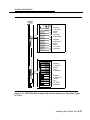
MERLIN II and
MERLIN LEGEND 2.1 and later
Communications System
MERLIN LEGEND 2.0
and earlier
Communications System
Housing
Clip
Housing
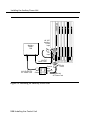
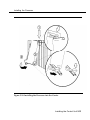
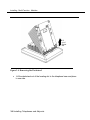
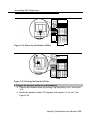
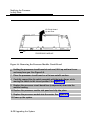
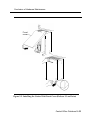
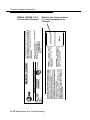
Figure 1-5. Removing the Control Unit Housing
1–16 Introduction