1
Chapter 14 Monitoring Contact Center call activity
181
Logging off
Log off when you complete your shift or will be away from your telephone for an extended period.
1
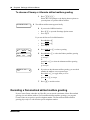
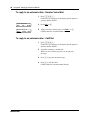
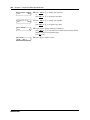
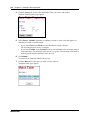
From the display that shows your name on the top line, press OUT. The date and time display
appears.
If OUT does not appear, you are not logged on to any skillsets.
Changing your supervisor password
Keep your password confidential. Change your password regularly, about every 30 days.
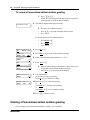
To change your supervisor password
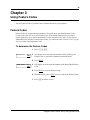
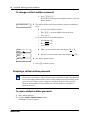
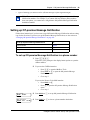
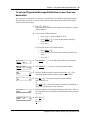
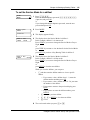
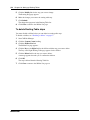
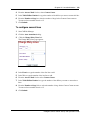
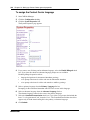
1
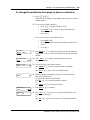
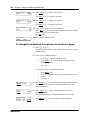
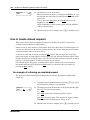
Press ≤·‚›.
2
Enter your Agent ID number and press OK.
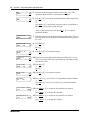
3
Enter your password and press OK.
The default password you enter to log on for the first time, or if your password is reset, is
0000. If you use the default password you must change your password.
4
Press ADMIN.
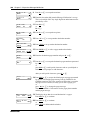
5
Enter a new password from four to eight digits long and press OK.
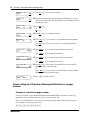
6
Enter your new password again and press OK.
7
Press ®.
Supervisor Help
With Supervisor Help an agent on a call can request help from a supervisor by pressing a
programmed feature button. The agent can send an urgent request for help without interrupting the
call, and without the caller being aware of the agent’s help request.
Supervisor Help is for situations where an agent is on a call and urgently requires the help of a
supervisor without alerting the caller that a supervisor is being called in. It is not intended for
routine consultations or when the agent is not on a Contact Center call.
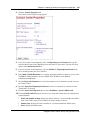
A supervisor who receives a help request can accept, deny, or ignore it. A request that is denied or
ignored is escalated, and a larger group of supervisors is notified of the request. A supervisor can
choose to escalate a request so that it is broadcast to other supervisors who may be better able to
handle the request. If a supervisor receives a request while they are not at their set, their
≤·‚fl indicator flashes slowly to inform them of the missed request.
Intelligent Contact Center Set Up and Operation Guide