1
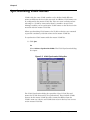
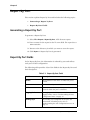
Chapter 2 Understanding the Selection List The Selection List provides VLAN information about selected ports. The Selection List appears on the left side of the Dialog Area when no dialog box is open. Figure 2-4. Selection List The following table provides a list of the information fields in the Selection List and their descriptions. Table 2-1. Selection List Fields Field Description Port The device IP address and port number. PVID The Port VLAN ID (PVID) of the port. This is the VLAN of which the port is a member. Tagging Mode The tagging mode of the port. For information on tagging modes, refer to Understanding the Port Configuration Area on page 13. Binding Style The binding style configured on the port. For information on binding styles, refer to Understanding the Port Configuration Area on page 13. To sort the Selection List table by any of its fields, click the field header. To reverse the order of the sort, click the field header a second time. The information in the Selection List is read-only. 12 Avaya VLAN Manager User Guide