1
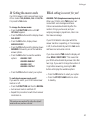
Setting up
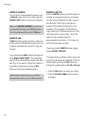
ANSWER: MANUAL
Your DF60 will not automatically answer a call
in MANUAL mode. If the call is a fax, press the
START/COPY button to commence reception.
When set to ANSWER: MANUAL, if a call is not
answered after 20 rings, your DF60 will answer
the call and automatically switch to TAD mode.
ANSWER: FAX
In FAX mode, the answer machine is switched
off and your DF60 automatically answers in fax
reception mode after the number of rings you
have set.
If you have selected FAX mode the display will
show: RING COUNT: 2ND? This means that
your DF60 will automatically answer calls after
two rings. If you want to change the number of
rings before answering, pressing the NO
button will display the available options.
If the handset is picked up before your DF60
automatically answers, you can talk to the caller.
11
ANSWER: FAX/TEL
When in FAX/TEL mode your DF60 answers a
call after one ring and checks for a fax signal.
If no fax signal is detected the caller is put on
hold and your DF60 rings to indicate you
should lift the handset and answer the call
manually. If the handset is not lifted before
ringing stops your DF60 will assume it is a fax
call and prepare to receive a fax. Your DF60
remains in fax reception mode for
approximately 35 seconds or, if it is a fax call,
until the fax has been received.
If you have selected FAX/TEL mode, display
shows: FAX/TEL TIME 20?
This means that your DF60 is set to ring for 20
seconds if no fax tones are detected. This time
can be altered, pressing the NO button will
display the available options: 10, 20 or 30 secs
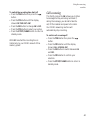
• Press the YES button to select your option.
• Press the STOP/CLEAR button to return
to standby.