1
Operation Guide 5090
Setting Calendar
#ALENDERDISPLAY
0RESSAND
HOLD
$!9
0RESS
0RESS
-/.4(
$!9/&
4(%7%%+
0RESSTOCOMPLETE
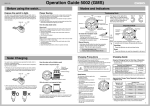
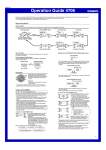
1. Press and hold B in the calendar display to set calendar.
2. Each press of C increments the digit by one. Keep pressed to move at a high
speed.
3. Press B to shift flashing digit(s). The digit(s) to be changed will flash.
4. Press B to complete.
••Pressing A at any time above will exit the setting mode.
Specifications
Accuracy at normal temperature: ±30 seconds a month
Display capacity
• Regular timekeeping mode
Analog: Hour, minute and second hands
Digital: Hour, minute, second, a.m. (A)/p.m. (P), month, day, day of the week
Time system: Changeover between 12/24-hour formats
Calendar system: Auto-calendar set at 28 days for February
• Stopwatch function
Measuring capacity: 59 minutes 59.99 seconds
Measuring unit: 1/100th of a second
Measuring modes: Elapsed time, split time, two finishes
• Daily alarm
• Hourly time signal
Battery: O
ne silver oxide battery (Type: SR927W)
Approximately 3 years on type SR927W (assuming alarm operation 20 sec./
day).
NOTE: THERE IS NO WAY unit components can be damaged or malfunction, due
to misoperation of buttons. If confusing information appears on the display it means
entry sequence was incorrect. Please read the manual and try again.
2