1
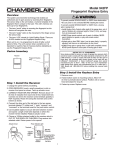
Step 5 Programming
Step 6 Operation
1. Open cover and wait until Ready LED
is lit.
NOTE: The unit must have an enrolled user before it can be
programmed to the receiver. Due to the 30 second time
interval, a second person may be needed to press the
“SMART” actuator.
1. Remove the front panel of the receiver
case. Press and release the “SMART”
actuator on the receiver. The “SMART”
indicator light will glow steady for 30
seconds.
1
ENROLL
SEND
2. Swipe finger slowly and firmly down the
sensor strip.
2
3. The Pass LED will flash and garage door
will either open or close.
3
FAIL
RETRY
ENROLL
SEND
2. Open the Fingerprint Keyless Entry cover
and wait for Ready LED to light.
ENROLL
3. Within 30 seconds of pressing the
“SMART” actuator, slowly and firmly
swipe enrolled finger.
NOTE: The Retry LED will light if another
swipe is needed.
ENROLL
PASS
FAIL
READY
RETRY
FAIL
READY
RETRY
While the door is traveling, the Send LED will be lit. During this
time, the only way to reverse or stop the door is to press the
Resend button.
3
4
4. After a passed swipe, the Pass LED will
light followed by a lit Send LED.
Programming is complete.
5. If the opener does not operate, press and
release the Resend button at 1 second
intervals for up to 5 seconds until the door
moves. Programming is complete.
NOTE: If unit will not program to opener,
repeat the steps above or refer to
Troubleshooting.
ENROLL
PASS
NOTE: If cover is already open, press either the Resend or the
Enroll button to turn unit on. The Fail or Retry LED will light if
another swipe is needed. If this occurs, swipe slowly and with
more pressure. It may require multiple swipes to get a passed
swipe.
2
SEND
ENROLL
PASS
READY
ENROLL
SEND
ENROLL
PASS
FAIL
READY
RETRY
5
3