1
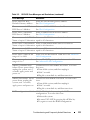
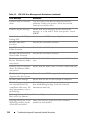
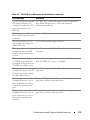
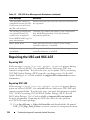
If your system crashes while using USC or USC-LCE, a black screen with red text appears. To resolve this problem, first try rebooting your system and re-entering USC or USC-LCE. If that does not resolve the problem, perform the steps in Repairing USC of Repairing USC-LCE. If that does not resolve the problem, contact Dell for technical assistance. 19 How do I find out the current installed version details of the USC-LCE product? Click About on the left navigation pane. 20 What should I do if I have an issue with mouse synchronization when I access USC LCE over the iDRAC Virtual Console? Ensure that the Single Cursor option under Tools in the iDRAC Virtual Console menu is selected on the iDRAC Virtual Console client. See the Integrated Dell Remote Access Controller 6 (iDRAC6) User’s Guide available on the Dell Support site at support.dell.com/manuals for more information. 21 Why should I use Microsoft Windows-based DUPs for USC-LCE 1.4 feature enhancements instead of Linux-based DUPs? Only Microsoft Windows-based DUP updates are available for USC-LCE version 1.4 and above. When using a local repository to upgrade from USC-LCE version 1.3 to version 1.4, ensure to create a catalog with Linux-based DUPs. 22 Why should I keep CSIOR enabled? The Collect System Inventory On Restart (CSIOR) must be enabled so that USC-LCE invokes part firmware update and hardware configuration automatically on system startup. 23 Why are some features not accessible in USC or USC-LCE? The features like Lifecycle Log, Hardware Inventory (View and Export), Part Replacement, and vFlash SD card configuration are dependent on latest iDRAC firmware. Ensure that the latest iDRAC firmware is installed. Troubleshooting and Frequently Asked Questions 121