1
HUGHES-BRAND DIRECTV SYSTEM OWNER’S MANUAL
Position
After selecting Position from the INSTALLATION screen a pop-up menu called Alignment Mode
will appear. You can choose to enter your location either by Align by ZIP or Align by LAT/LONG.
After making your selection, a pop-up entry panel will appear for you chosen location type. Use the
and keys or use the numeric keypad to change the value of the digits. Press the key to advance or
the key to back up. Once you have entered all of the correct digits, select OK. The calculated results
on the proper direction to point your dish will be displayed.
System Test
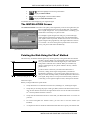
Any time you experience a problem with your DIRECTV System, you can use the SYSTEM TEST
screen, which runs a series of internal diagnostics that will provide
you with basic information about the health of your system.
Things to do on the SYSTEM TEST
screen
Receiver Test
Anytime you experience a problem with your system, you can run
the SYSTEM TEST, which runs a series of internal diagnostics that
provide you with basic information about the system.
SYSTEM TEST screen
Depending on your test results, you may be able to remedy the
problem yourself. For example, if your Access Card is missing, verify it is facing the right direction
and try reinserting it. A “No Dial Tone” message indicates that the phone line is in use or the digital
satellite receiver is disconnected from the phone line. If you cannot remedy a problem yourself, call
your dealer or the Customer Care Center at 1-800-274-8995 and provide the technician with a
complete description of the problem and the results of the system test. The technician will assist you
with additional repair information and instructions.
Cable Test
When Cable Test is selected the digital satellite receiver scans through all transponders and displays
the associated signal strength. If there are any detectable problems, you will be notified of the most
likely cause of the problem. Otherwise, you may simply find this test to be a convenient way to
analyze the signal quality your are achieving.
PAGE 7-14