1
Basic Functions
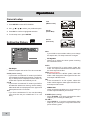
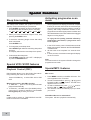
Fast search
Angle selection
1 Press and hold
/
more than 1 second to fast
reverse or fast forward.
For DVD / MP3 discs
FF(fast forward) :
FF x 2
FF x 4
FF x 6
FF x 8
FF OFF.
FR(fast reverse) :
FR x 2
FR x 4
FR x 6
FR x 8
FR OFF.
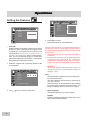
Some DVD discs contain scenes which have been
taken photos simultaneously from a number of different angles. For these discs, the same scenes can
viewed from each of the different angles. (The recorded
angles differ from disc to disc.) You should set the angle
mark to ON or press ANGLE key to set angle mark.
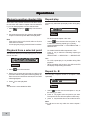
For VCD / CD /SVCD discs
FF(fast forward) :
FF x 1 FF x 2 FF x 3
FR(fast reverse) :
FR x 1 FR x 2
FR x 3
FF x 4
FR x 4
PLAY.
PLAY.
2 In any FF or FR state, press PLAY/PAUSE /ll to
normal play.
♦ While playing a title shot from different angles, the
angle mark : appears on the TV screen. This angle
mark will disappear automatically after 5 seconds.
♦ Press the remote ANGLE button to change the
scenes from one angle to other angle(s).
For example: 1/4, 2/4, 3/4, 4/4.
Note
The sound will be muted during fast reverse of forward
search.
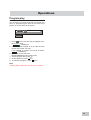
Picture Zooming
This function allows you to enlarge the picture on the
TV screen and to pan through the enlarged image.
1 Press ZOOM repeatedly to select a zoom factor as
below:
ZOOM x 1.5
ZOOM x 2
ZOOM X 3
ZOOM OFF
Note
The maximum number of angle stipulated by the manufacturers is 9/9
2 To pan through the enlarge image, press ok to confirm the zoom selection and use / / / keys
to move the zoomed picture left, right, up or down.
3 Some discs may not respond to the zoom feature.
9