1
OPERATION (CONTINUED)
HIGH-SPEED MUSIC SEARCH
1
1
2
Menu
Main Menu
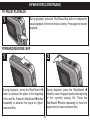
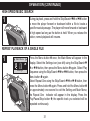
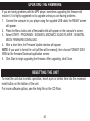
During playback, press and hold the Skip/Search o 1 or n 2 button
to move the player forward or backward within a file to locate a
specific musical passage. The player will move forward or backward
at high speed as long as the button is held. When you release the
button, Main
normal
playback will resume.
Menu
EXIT
Record OF A SINGLE
About
REPEAT PLAYBACK
FILE
usic
1
Menu
Main Menu
Tuner
Settings
1
Menu
ice
2
3
Main Menu
Erase Files
4
Press the
Menu
Main
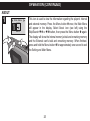
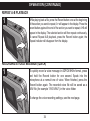
Menu button 1 once; the Main Menu will appear in the
EXIT the Settings icon (see left) using the Skip/Search o
display. Select
2 or n 3 button, then press the Menu button 1 again. Select Play
Sequence Exit
using the Skip/Search o 2 or n 3 button, then press the
Menu button 1 again.
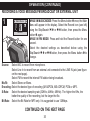
Select Repeat One using the Skip/Search o 2 or n 3 button, then
press the Menu button 1 again. Press and hold the Menu button 1
for approximately one second to exit the Setting and Main Menu;
the Repeat One indicator will appear in the display. Press the
Play/Pause/Stop button 4; the specific track you selected will be
repeated continuously.
31