1
I N T E R F AC E M O D E L 9 8 4 0 V E R 6 . 0 . 2
QUICK START
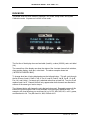
This section will help you get your Model 9840 set up and operating in just a couple of
minutes.
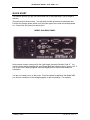
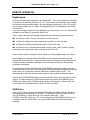
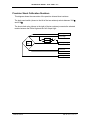
The back panel is shown below. You will need to make at least two connections here.
First be sure that the power switch is off (the lower part of the rocker should be pressed
in). Connect the AC power line and plug it in.
MODEL 9840 BACK PANEL
Next connect a load or torque cell to the 9 pin female connector labeled “Load A”. You
should use the cabling supplied with your Model 9840 and Interface load or torque cell. If
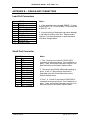
you do not have a factory supplied cable see Appendix B for the recommended cell
connection.
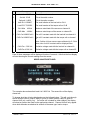
You are now ready to turn on the power. Each time power is applied to the Model 9840
you will see a sequence of 6 messages appear on the front display. For example,
MODEL 9840
PG 6
PUB. 2856-16