1
Quick Setup
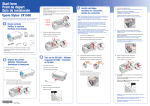
Place the printer flat on a stable desk near a grounded outlet. Leave plenty of room in
back for the cables and for a stack of continuous paper, if you use it. Leave enough room
in front for the paper support and output tray.
Do NOT put the printer:
◗
In an area with high temperature or humidity
◗
In direct sunlight or dusty conditions
◗
Near sources of heat or electromagnetic interference, such as loudspeakers or cordless
telephone base units
Also, be sure to follow the safety instructions in your on-screen User’s Guide.
2 Attach the Paper Support and Output Tray
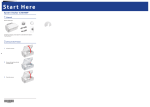
1. Place the hole in the right side of the paper support on the printer’s right post. Then
slightly lift the left side of the paper support and push the notch down over the printer’s
left post.
Notch
Hole
2