1
Print Head Nozzle Check............................................................................................................... 99
Checking the Nozzles Using the Product Control Panel ........................................................... 99
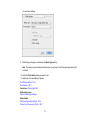
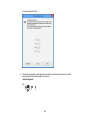
Checking the Nozzles Using a Computer Utility ...................................................................... 102
Print Head Cleaning .................................................................................................................... 105
Cleaning the Print Head Using the Product Control Panel ...................................................... 105
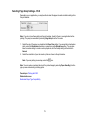
Cleaning the Print Head Using a Computer Utility................................................................... 106
Print Head Alignment ....................................................................................................................... 109
Aligning the Print Head Using the Product Control Panel ............................................................ 109
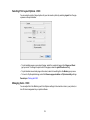
Aligning the Print Head Using a Computer Utility......................................................................... 111
Cleaning the Paper Path Using the Product Control Panel .............................................................. 113
Transporting and Cleaning Your Product ............................................................................................. 115
Carrying and Transporting Your Product.......................................................................................... 115
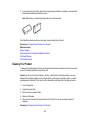
Cleaning Your Product ..................................................................................................................... 116
Solving Problems ....................................................................................................................................
Checking for Software Updates........................................................................................................
Product Status Messages ................................................................................................................
Running a Product Check ................................................................................................................
Resetting Control Panel Defaults .....................................................................................................
Solving Power and Battery Problems ...............................................................................................
Product Does Not Turn on ...........................................................................................................
Product Does Not Turn Off ..........................................................................................................
Product Turns Off Automatically ..................................................................................................
Battery Does Not Charge From Computer...................................................................................
Solving Setup Problems ...................................................................................................................
Noise After Ink Installation ...........................................................................................................
Software Installation Problems ....................................................................................................
Solving Network Problems ...............................................................................................................
Product Cannot Connect to a Wireless Router or Access Point ..................................................
Network Software Cannot Find Product on a Network.................................................................
Product Does Not Appear in OS X Printer Window......................................................................
Cannot Print Over a Network.......................................................................................................
Solving Paper Problems...................................................................................................................
Paper Feeding Problems.............................................................................................................
6
117
117
118
120
121
122
123
123
123
124
124
124
125
125
126
127
128
128
129
129